— 13 —
5. Configure RENOGY ONE Core
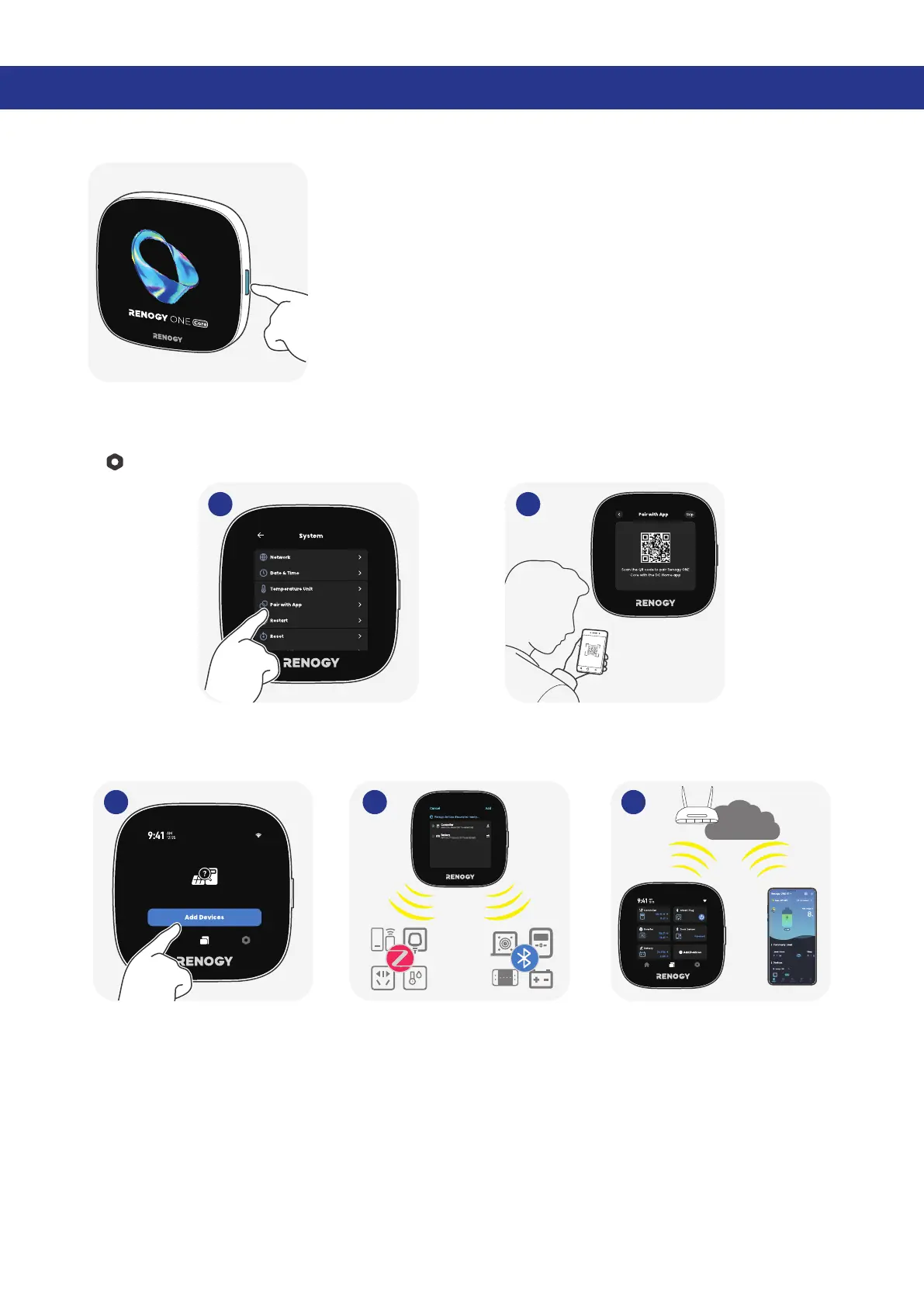
5.1. Power On/Off
5s
Long press the On/Off Button for 5s to power the Core on or off.
5.2. Pairing with DC Home
For initial startup, follow the startup wizard on the Core to pair it with the DC Home app. Alternatively, go
to > System > Pair with App.
1 2
5.3. Add Devices
Renogy ONE Core can connect to Bluetooth, Bluetooth mesh, and Zigbee Renogy devices concurrently.
Internet
1 2 3


 To Next Page
 Loading...