Home
Ricoh
Printer Accessories
ARDF DF3090
Page 8 (Rear Cover)
Ricoh ARDF DF3090 - Rear Cover
34 pages
Manual
To Next Page
To Next Page
To Previous Page
To Previous Page
Loading...
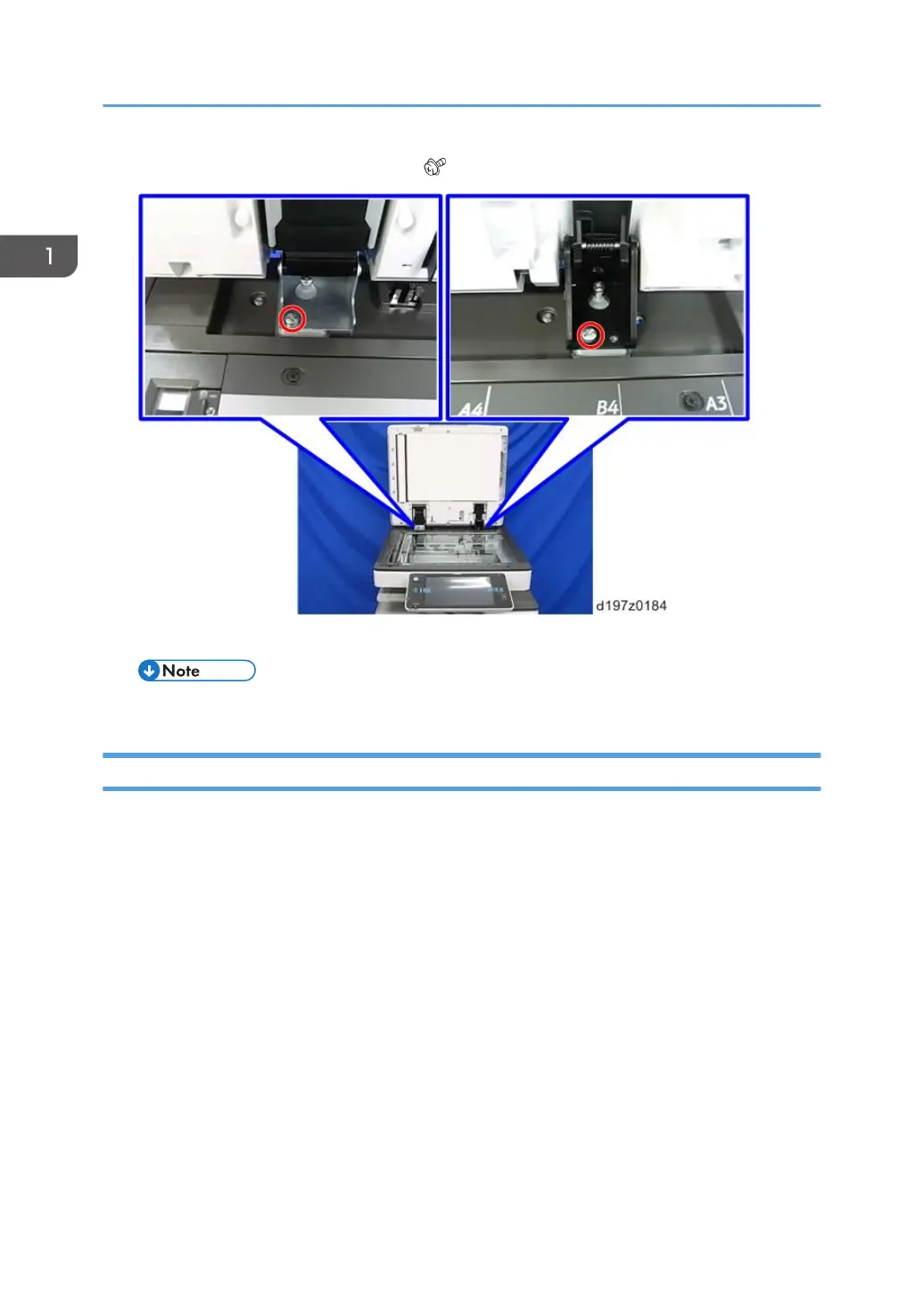
3.
Open the DF and remove the screws (
×2).
4.
Detach the DF while holding the both ends.
•
Since DF is heavy, be very careful when you detach it.
Rear Cover
1.
Open the left cover [A].
2.
Open the original tray [B].
1. Replacement and Adjustment
6
7
9
Table of Contents
Main Page
Revision Lists
3
Safety and Symbols
5
Trademarks
5
Table of Contents
6
Replacement and Adjustment
7
Covers and Original Tray
7
DF Replacement
7
Rear Cover
8
Front Cover and Original Tray
9
Original Feed Unit
11
Pick-Up Roller
12
Feed Belt
13
Separation Roller
15
ARDF Drive Board and DF Position Sensor
16
Original Length Sensors and Original Sensor
18
Original Set Sensor
19
Original Size Sensors and Skew Correction Sensor
22
Stamp Solenoid
23
Original Exit Sensor
25
Registration Sensor
26
Left Cover Switch
27
Feed Motor
28
Pick-Up Solenoid
30
Inverter Solenoid
31
Feed Clutch
32
Transport Motor
33
Related product manuals
Ricoh Aficio C3000
292 pages
Ricoh M15
146 pages
Ricoh 7000
4 pages
Ricoh E-24B
213 pages
Ricoh E-25C
187 pages
Ricoh PB1170
32 pages
Ricoh SR3130
50 pages
Ricoh MP CW2201sp
52 pages
Ricoh IM 4000 Series
400 pages
Ricoh IM 3500 Series
400 pages
Ricoh IM 5000 Series
400 pages
Ricoh IM 2500 Series
400 pages



 To Next Page
 Loading...





