English
● REMOTE CONTROL
remote control
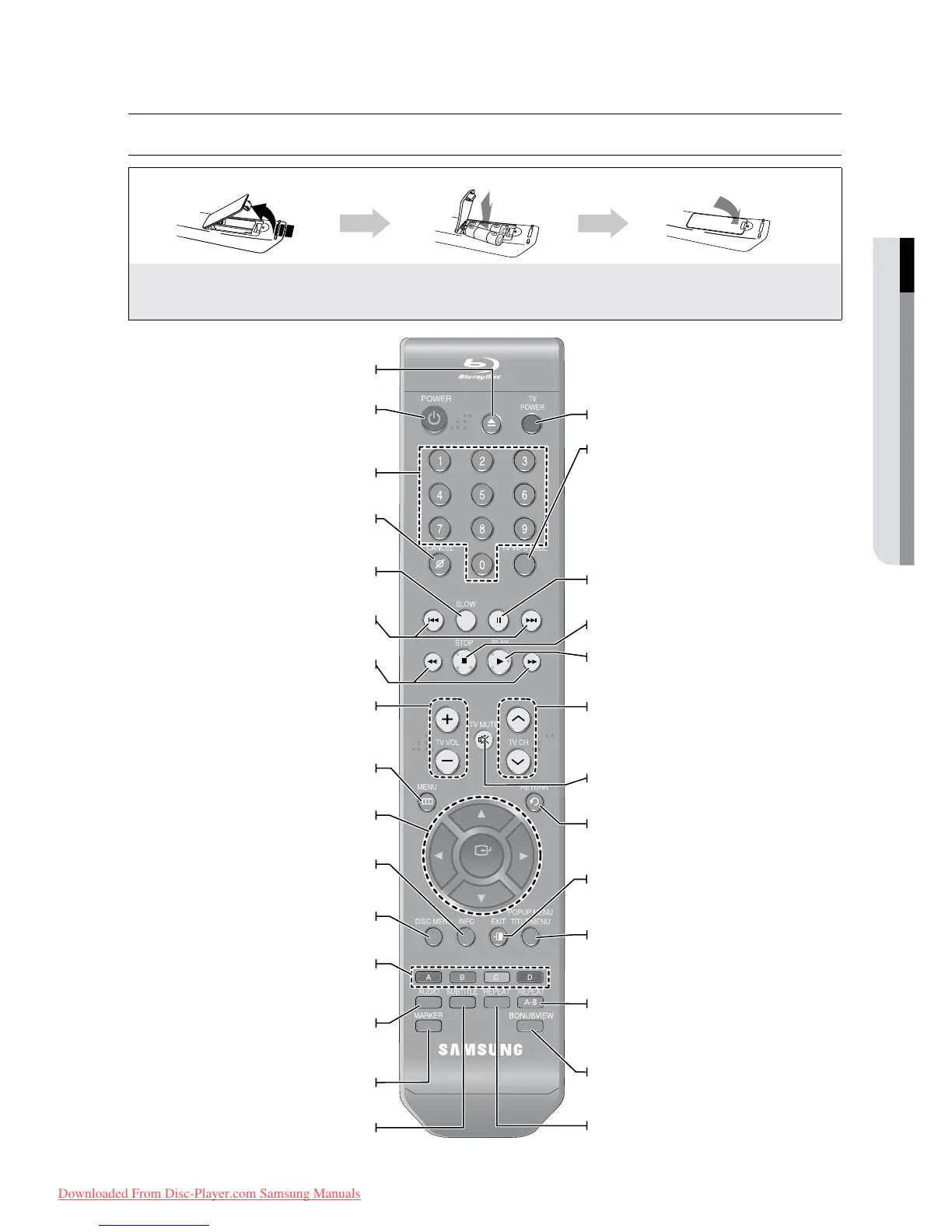
TOUR OF THE REMOTE CONTROL
Make sure to match the “+” and “–” ends
of the batteries with the diagram inside the
compartment.
Assuming typical TV usage, the batteries last
for about one year.
TV volume adjustment
Brings up the Blu-ray Disc Player’s setup menu.
Displays current setting or disc status.
Use this to enter the disc menu.
COLOR Buttons : RED(A), GREEN (B),
YELLOW(C), BLUE(D)
Used to access special features on BD-J
discs(disc dependent).
Use this to access various audio functions on a
disc
(Blu-ray Disc/DVD).
Use this to bookmark a position while playing a disc.
Press this to switch the Blu-ray Disc/DVD’s
subtitle language.
Use this to select a TV program.
Mutes the speakers of your TV.
Use this to enter the popup menu/title menu.
Allows you to repeat playback of a certain
section.
Use this to turn on or off the BONUSVIEW function on
supported Blu-ray Discs.
Allows you to repeat a title, chapter, track or disc.
To open and close the disc tray.
Each time this button is pressed, the disc will play
slowly.
Press to skip backwards or forwards.
Press to search a disc backwards or forwards.
After setup, allows you to set the input source on your
TV.
Press to pause a disc.
Press to play a disc.
Press to stop a disc.


 To Next Page
 Loading...