135
Using Samsung Magic Doctor (Optional)
Magic Doctor is troubleshooting software provided by Samsung Computer. A user can
diagnose system problems via one-click or by selecting diagnostic items.
The screens used in this manual may differ from actual screens according to the
program version.
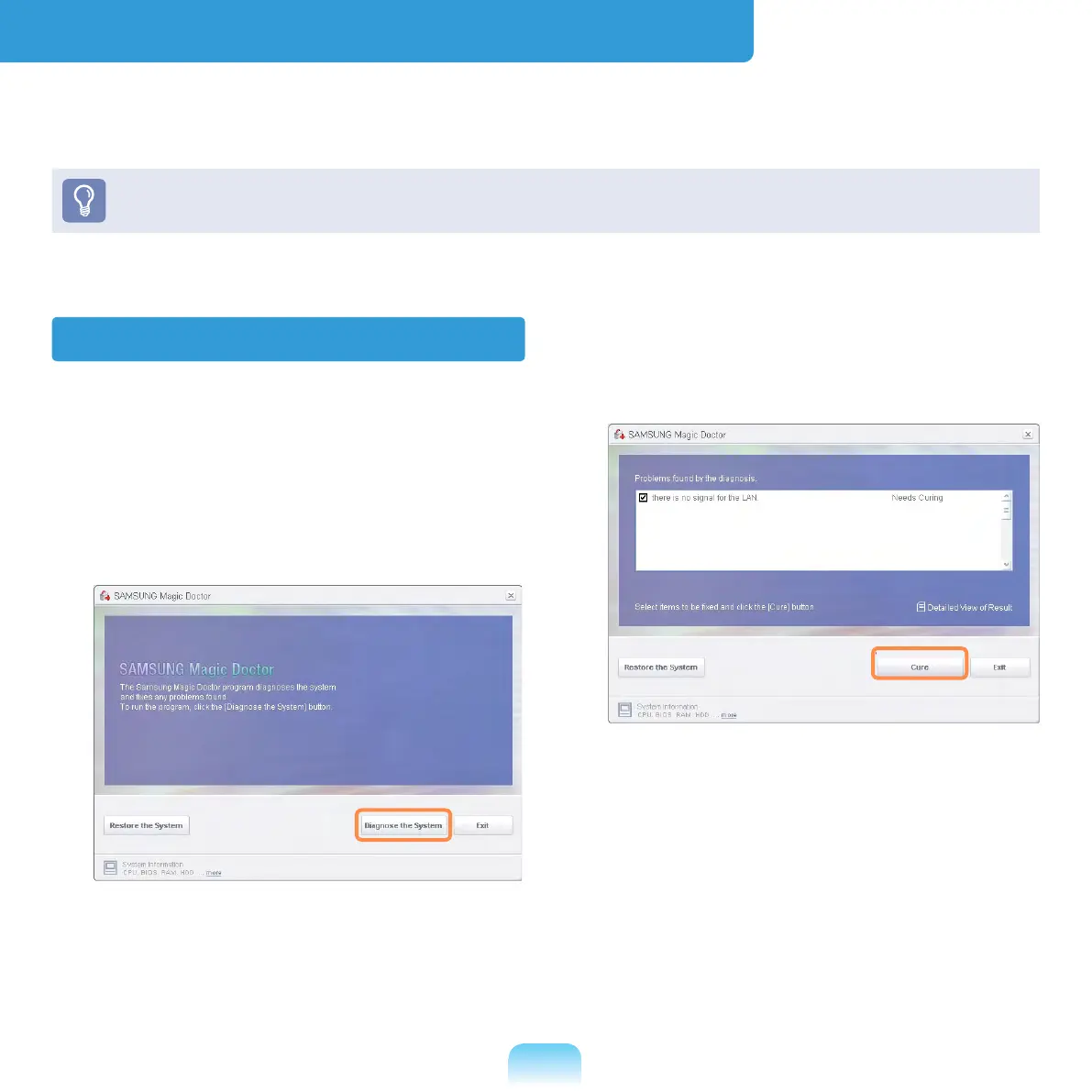
Diagnosing the System
1
Select Start > All Programs >
Samsung > Samsung Magic Doctor
> Samsung Magic Doctor.
2
Click the Diagnose the System icon.
The system status diagnostics start.
3
When the system status diagnostics
are complete, the diagnostics result
appears.
If a problem has been found, click on
Cure for Samsung Magic Doctor to
cure the problem.


 To Next Page
 Loading...








