English 162
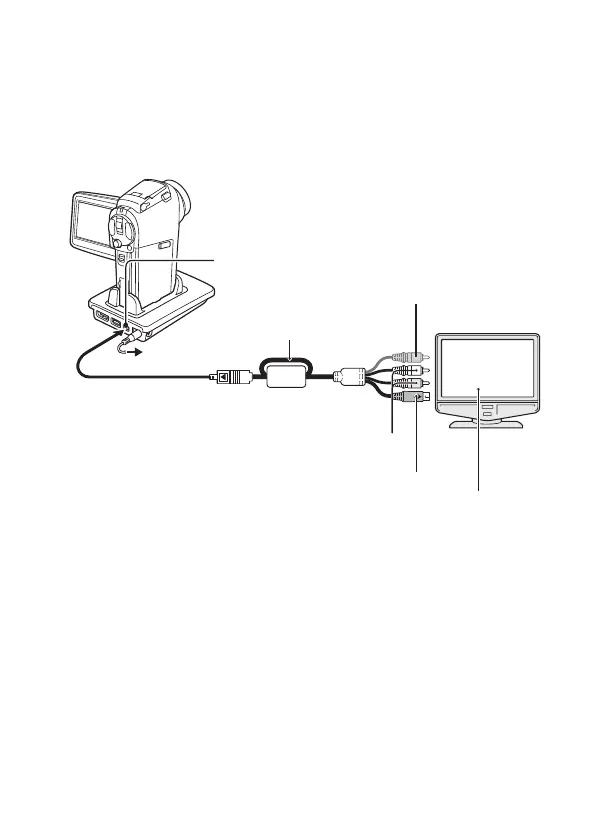
<Connecting using the cable adaptor>
Attach the cable adaptor to the camera, and use the supplied dedicated S-AV
interface cable to connect the cable adaptor’s USB/AV terminal to the TV’s
VIDEO and AUDIO input terminals.
<When connecting to an S-VIDEO input terminal>
* When connected, the images are not produced normally on the TV
monitor.
Ye l l o w p l u g :
Not connected*
S-terminal
To AC adaptor
Supplied dedicated
S-AV interface cable
i Insert the plug with the
[n] mark facing up.
USB/AV terminal
White plug:To Audio Input (L) terminal
Red plug: To Audio Input (R) terminal
Set the input to “VIDEO”.


 To Next Page
 Loading...