Creating a
disc
with a
DV[) writer,
etc.,
other
than DVDirect
Express
You
can save movies
on
a disc by
connecting your camcorder to disc creation
devices, such
as
a Sony DVD writer other
than DVDirect Express, with the
USB
cable. Refer also to the instruction manuals
supplied with the devices to be connected.
The
method
used to create a disc by
connecting your camcorder to a Sony DVD
writer with the
USB
cable
is
described here.
•
Connect
your camcorder to the wall outlet (wall
socket) using the supplied AC Adaptor for this
operation (p. 13).
• Sony DVD writer may not be available
in
some
countries/regions.
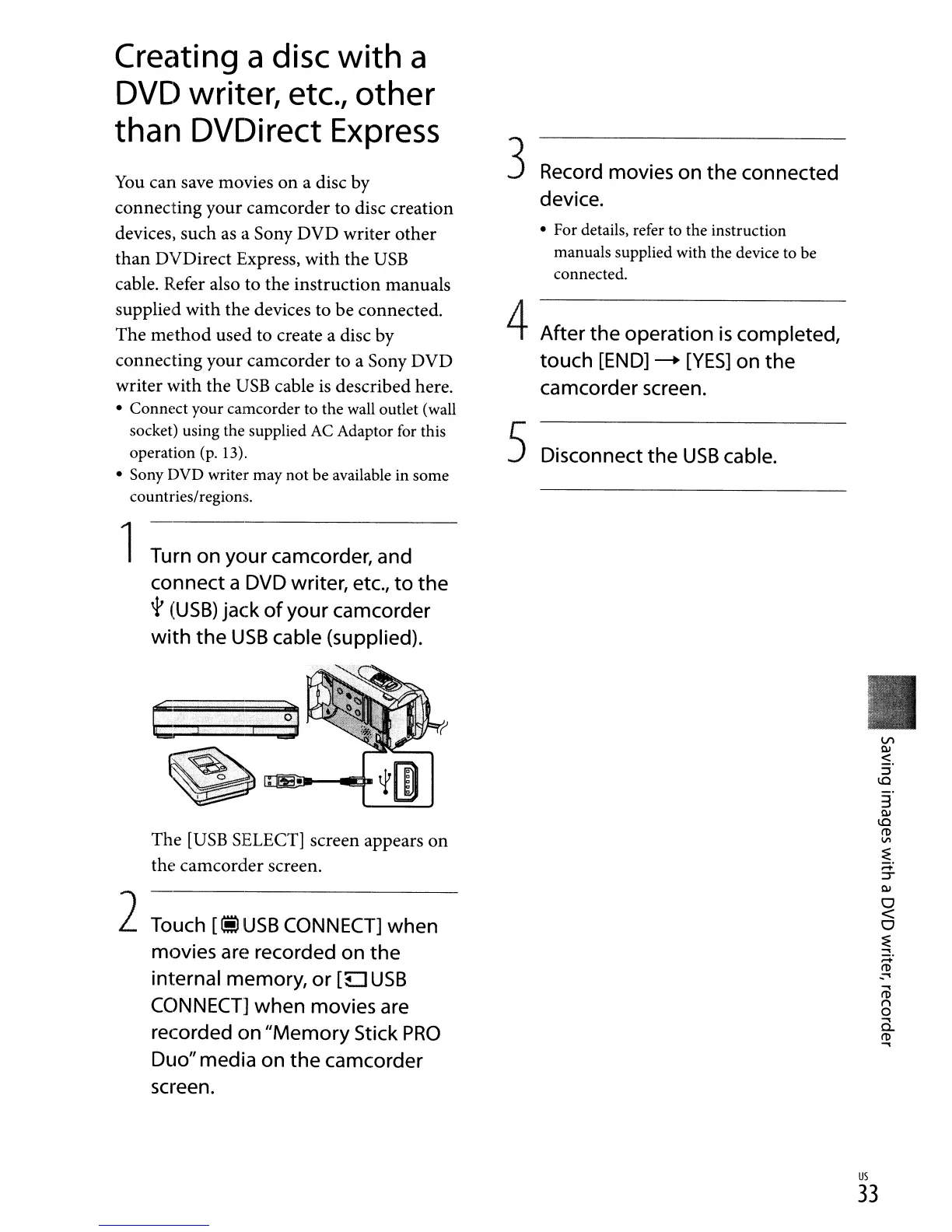
1
Turn
on
your
camcorder,
and
connect a DVD writer,
etc.,
to the
t
(USB)
jack of your camcorder
with the
USB
cable (supplied).
The
[USB
SELECT] screen appears on
tht~
camcorder screen.
2
Touch
[iii
USB
CONNECT]
when
movies
are
recorded
on
the
internal memory,
or
[u
USB
CONNECT]
when
movies
are
recorded
on
"Memory
Stick
PRO
Duo"
media
on
the camcorder
screen.
3
Record
movies
on
the connected
device.
• For details, refer to the instruction
manuals supplied with the device to be
connected.
4After the operation
is
completed,
touch
[END]
-+
[YES]
on
the
camcorder
screen.
5Disconnect the
USB
cable.
.....
I'D
n
o
.....
a..
I'D
.....
us
33


 To Next Page
 Loading...