54
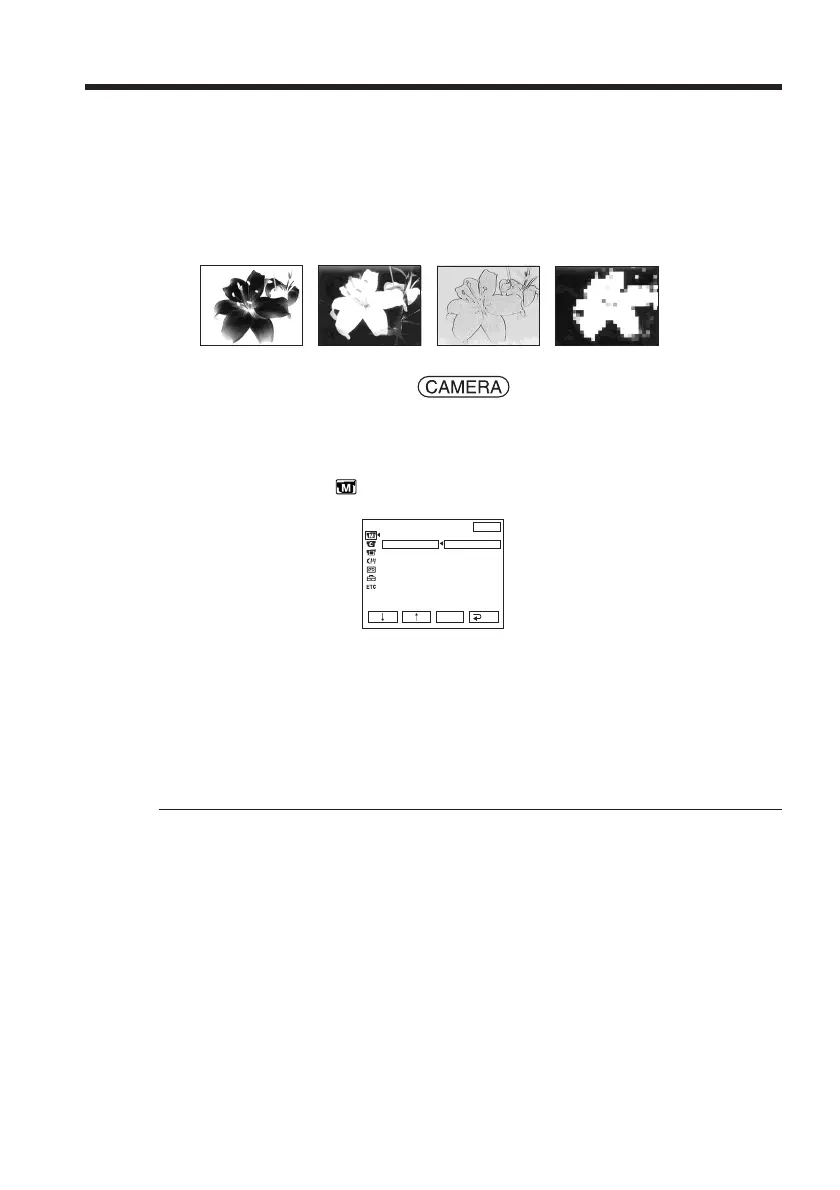
NEG. ART [a] : The color and brightness of the picture are reversed.
SEPIA : The picture is sepia.
B&W : The picture is monochrome (black-and-white).
SOLARIZE [b] : The picture looks like an illustration with a strong contrast.
PASTEL [c] : The picture looks like a pale pastel drawing.
MOSAIC [d] : The picture is mosaic.
The POWER switch should be set to .
Operate by touching the panel.
(1) Press FN to display PAGE1.
(2) Press MENU to display the menu.
(3) Select P EFFECT in
, then press EXEC (p. 168).
(4) Select a desired mode, then press EXEC.
To return to FN
Press EXIT.
To cancel picture effect
Set P EFFECT to OFF in the menu settings.
Note
While using picture effect, you cannot use following functions:
– BOUNCE
– OLD MOVIE
Using special effects – Picture effect
[a] [b] [c] [d]
MANUAL SET
PROGRAM AE
P EFFECT
FLASH MODE
FLASH LVL
WHT BAL
AUTO SHTR
EXIT
RET.
EXEC
OFF
NEG. ART
SEPIA
B&W
SOLARIZE
PASTEL
MOSAIC



 To Next Page
 Loading...