8
Adjusting and Setting with Menus
About On-Screen Menus
You can change various settings, such as shooting
conditions and system setup of the camera, while
observing menus displayed on a connected computer
screen.
To display the menu and images on the computer screen,
dedicated software (SRGViewer) is needed.
This section explains how to read the on-screen menus
before starting menu operations.
For the overall menu configurations, see “Menu
Configuration” (page 21).
You cannot perform pan/tilt operations while the menu is
displayed.
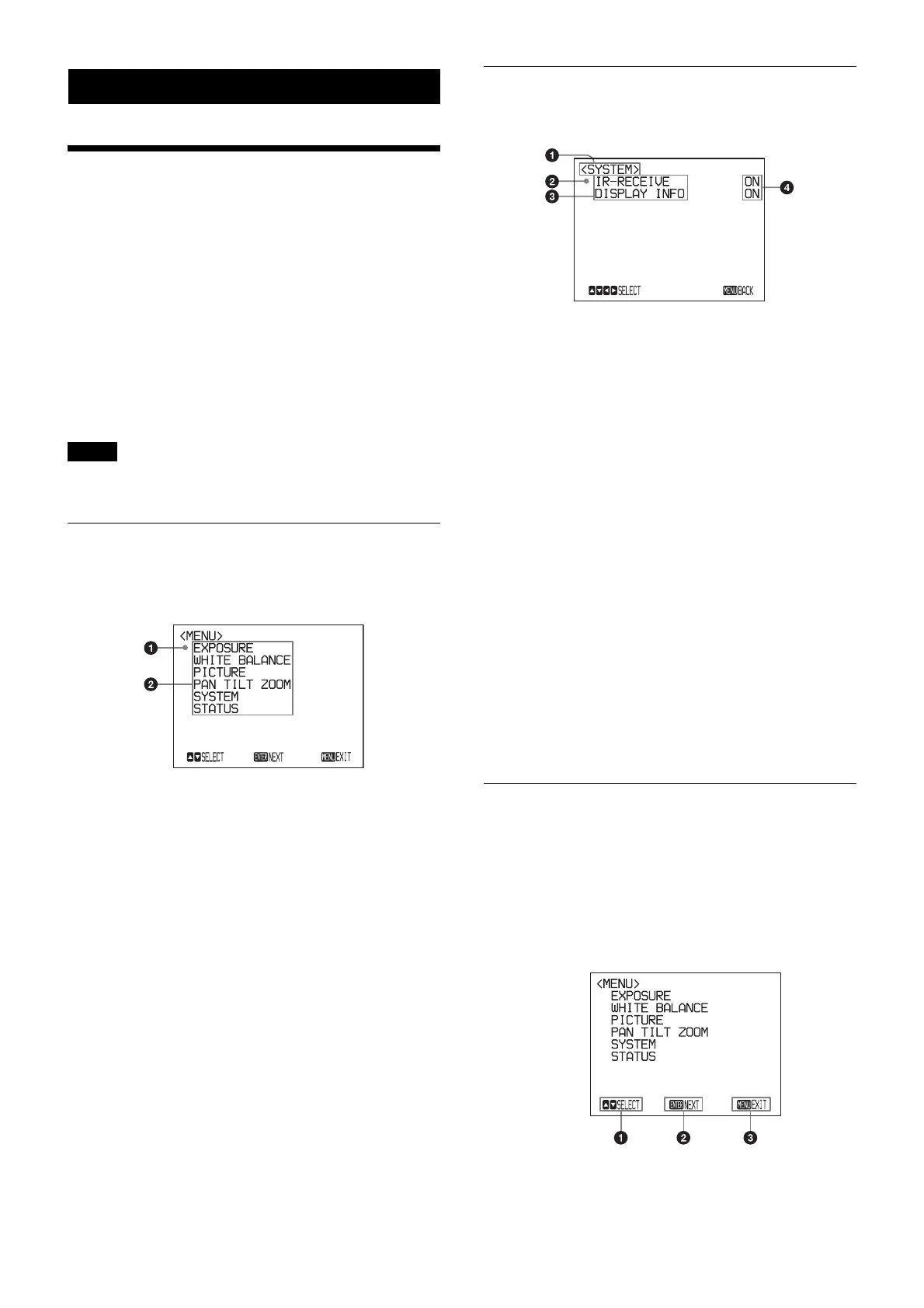
Main Menu
To display the main menu, press the DATA SCREEN
button on the supplied infrared remote commander.
a Selected item
Selects a setting menu.
The selected item is shown by the cursor. The cursor
moves up or down by pressing the V or v button on the
infrared remote commander.
b Menu items
To display a setting menu, select one using the V or v
button on the infrared remote commander and press
the HOME button on the infrared remote commander.
Setting Menus
The setting menu selected on the main menu is displayed.
a Setting menu
The name of the setting menu currently selected is
displayed here.
b Selected item
Selects a setting item.
The selected item is shown by the cursor.
Move the cursor up or down by pressing the V or v
button on the infrared remote commander.
c Setting items
The setting items for this setting menu are displayed.
Select the setting item using the V or v button on the
infrared remote commander.
d Set value
The currently set values are displayed.
To change a set value, use the B or b button on the
infrared remote commander.
For the default value of each setting item, see “Menu
Configuration” (page 21).
Control Button Display Section
Names of buttons displayed on the monitor are different
from buttons on the infrared remote commander to be
used.
Use the proper buttons on the infrared remote
commander, referring to the following pictures.
Main menu
Note



 To Next Page
 Loading...





