24
GB
D:\NORM'S JOB\SONY HA\SO0086\STR-DN610_PMRF 2\GB\GB04CON_STR-DN610-U2.fm masterpage: Left
STR-DN610
4-167-824-13(1)
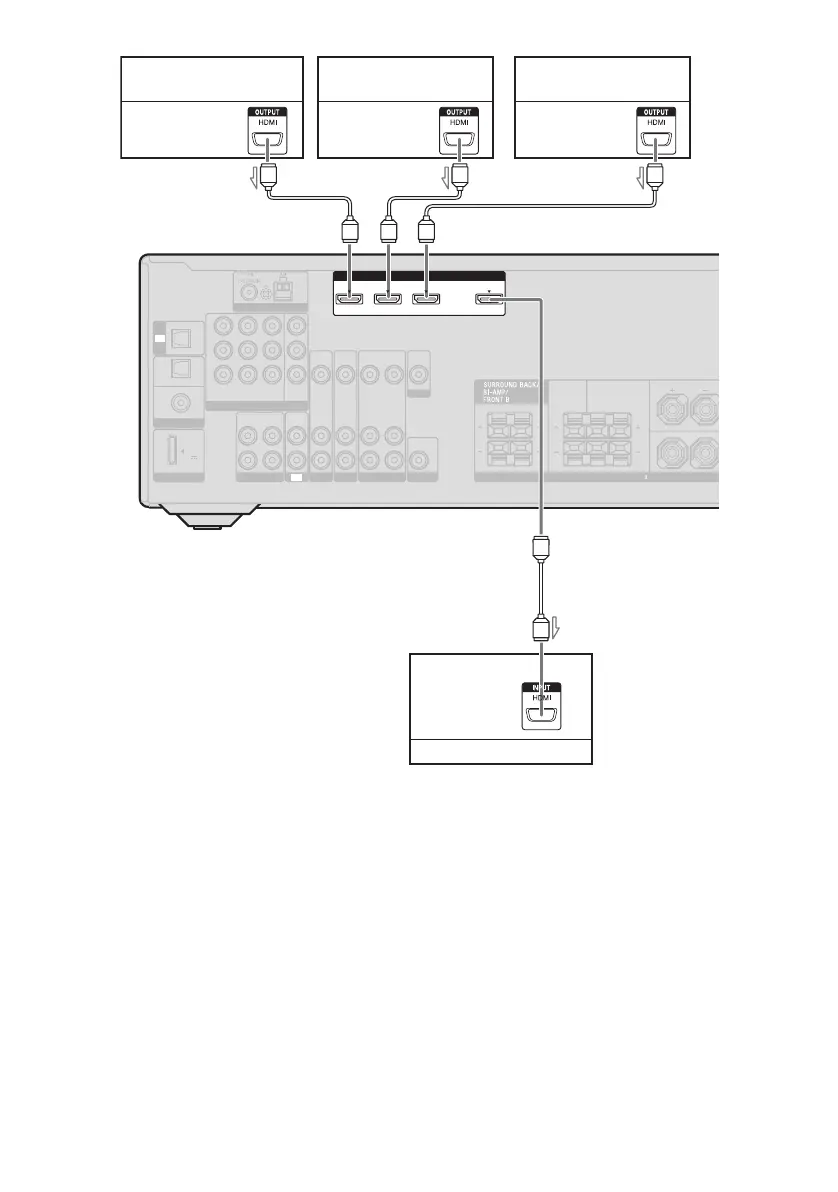
* For details on the audio connection of the TV to
the receiver, see page 20.
Notes
• Be sure to change the initial setting of the HDMI
1-3 input button on the remote so that you can use
the button to control your components. For details,
see “Changing the input button assignments” (page
69).
• You can also rename the HDMI input so that it can
be displayed on the receiver’s display. For details,
see “Naming inputs” (page 38).
LR
LR
R
L
FRONT A
CENTER SURROUND
ANTENNA
TV
IN
OPTICAL
SAT/
CATV
IN
OPTICAL
DVD
IN
DIGITAL
COAXIAL
(ASSIGNABLE)
DMPORT
DC5V
0.7A MAX
P
B/
C
B
P
R/
C
R
Y
IN 3 IN 2 IN 1
MONITOR
OUT
COMPONENT VIDEO
ASSIGNABLE (INPUT ONLY)
VIDEO
IN
VIDEO
IN
VIDEO
OUT
VIDEO
IN
MONITOR
VIDEO
OUT
AUDIO
IN
AUDIO
OUT
AUDIO
IN
BD
SAT/CATV
AUDIO
IN
AUDIO
IN
SA-CD/CD/CD-R
R
VIDEO 1
L
AUDIO
IN
AUDIO
OUT
AUDIO
OUT
TV
SUBWOOFER
SPEAKERS
IMPEDANCE USE 8-16
TV OUT
ARC
HDMI
ASSIGNABLE (INPUT ONLY)
1 NI2 NI3 NI
ARC
ARC
Satellite tuner,
cable TV tuner
DVD player,
DVD recorder
Blu-ray disc player,
“PlayStation 3”
Audio/video
signals
Audio/video
signals
Audio/video
signals
TV, etc.
*
Audio/video
signals
AA A
A
A HDMI cable (not supplied)
We recommend that you use a Sony HDMI cable.


 To Next Page
 Loading...










