GB
16
You can select the language for displaying
the menu and other on-screen displays. The
factory default setting is English. To change
the current menu language, set the desired
language with the menu screen.
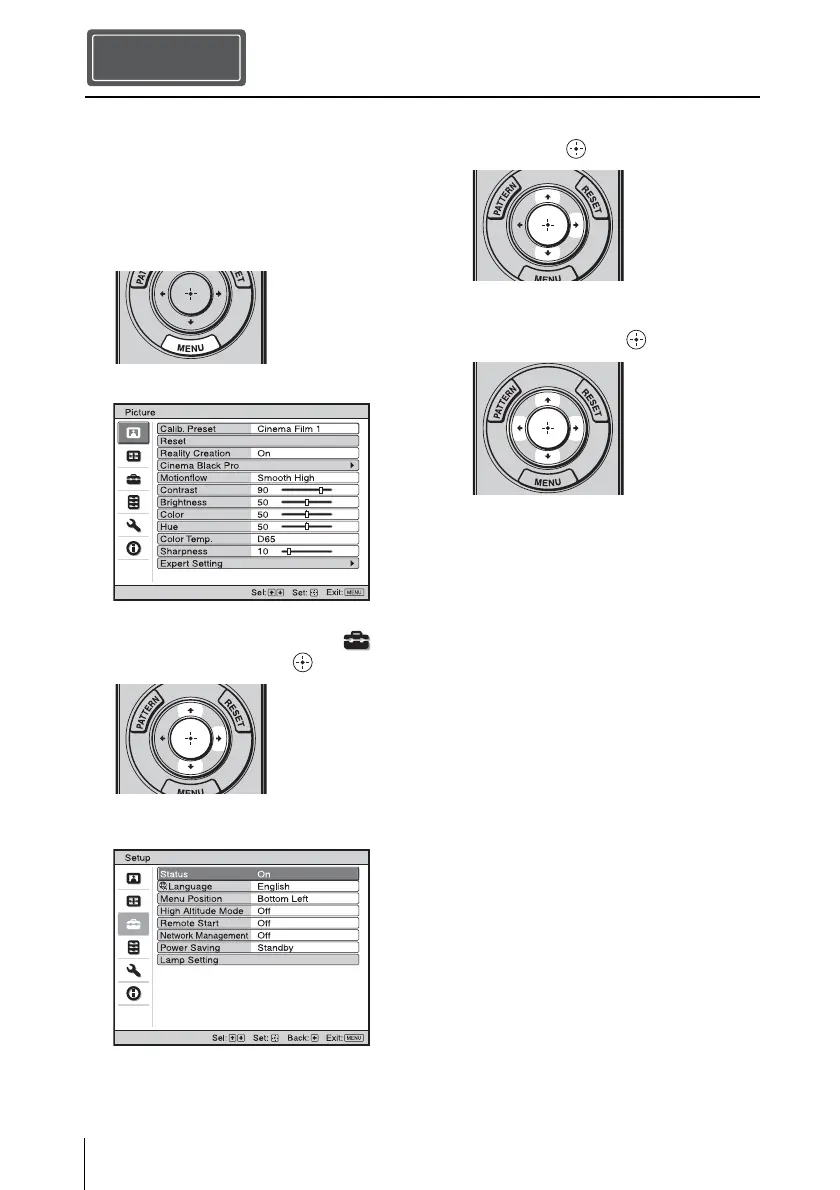
1 Press MENU.
The menu appears.
2 Press M/m to select the Setup
menu, and press , or .
The setting items of the selected menu
appear.
3 Press M/m to select “Language,” and
press , or .
4 Press M/m/</, to select a
language, and press .
The menu changes to the selected
language.
To clear the menu
Press MENU.
Selecting the Menu Language
Step 4


 To Next Page
 Loading...