45
EN
Operation
Preparing for Use
Floor Washer
• Before rst use, please charge the appliance for 4-5 hours (refer to “Charging Instructions” for
details).
* Based on results from Tineco lab tests. Lab temperature 39.2°F (4°C) ~ 104°F (40°C).
Tips:
• Solution mode/ Water Only mode:
Appliance starts with Solution mode by
default. Power on while the appliance is
upright, hold for 3s to switch between the
two modes.
• Switch to Water Only mode:
LED Loop: Red → Blue (use water only)
• Switch to Solution mode:
LED Loop: Blue → Red (use cleaning solution)
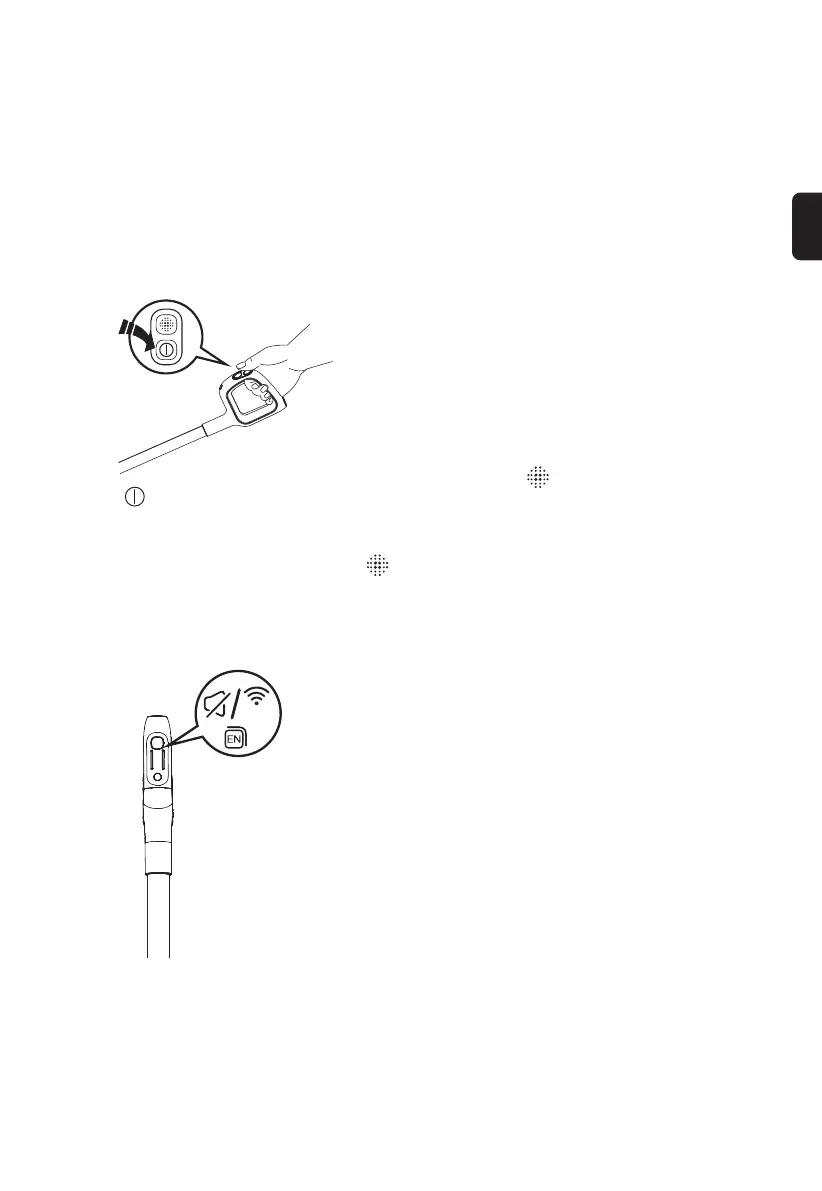
Press the button and the appliance will start
in AUTO mode by default. Press it again to
turn off the appliance. Switch between AUTO,
MAX and SUCTION modes by pressing the
button.
(3s)
WiFi/Mute/Language Switch Button
• Short press to adjust the volume.
• Press twice to switch languages. (More voice
languages will be added, please refer to the
actual product for now.)
• Hold for 3 seconds to connect to network.


 To Next Page
 Loading...