2 Planning a decompression dive
1. Activate the dive planner for a no-stop dive ->33.
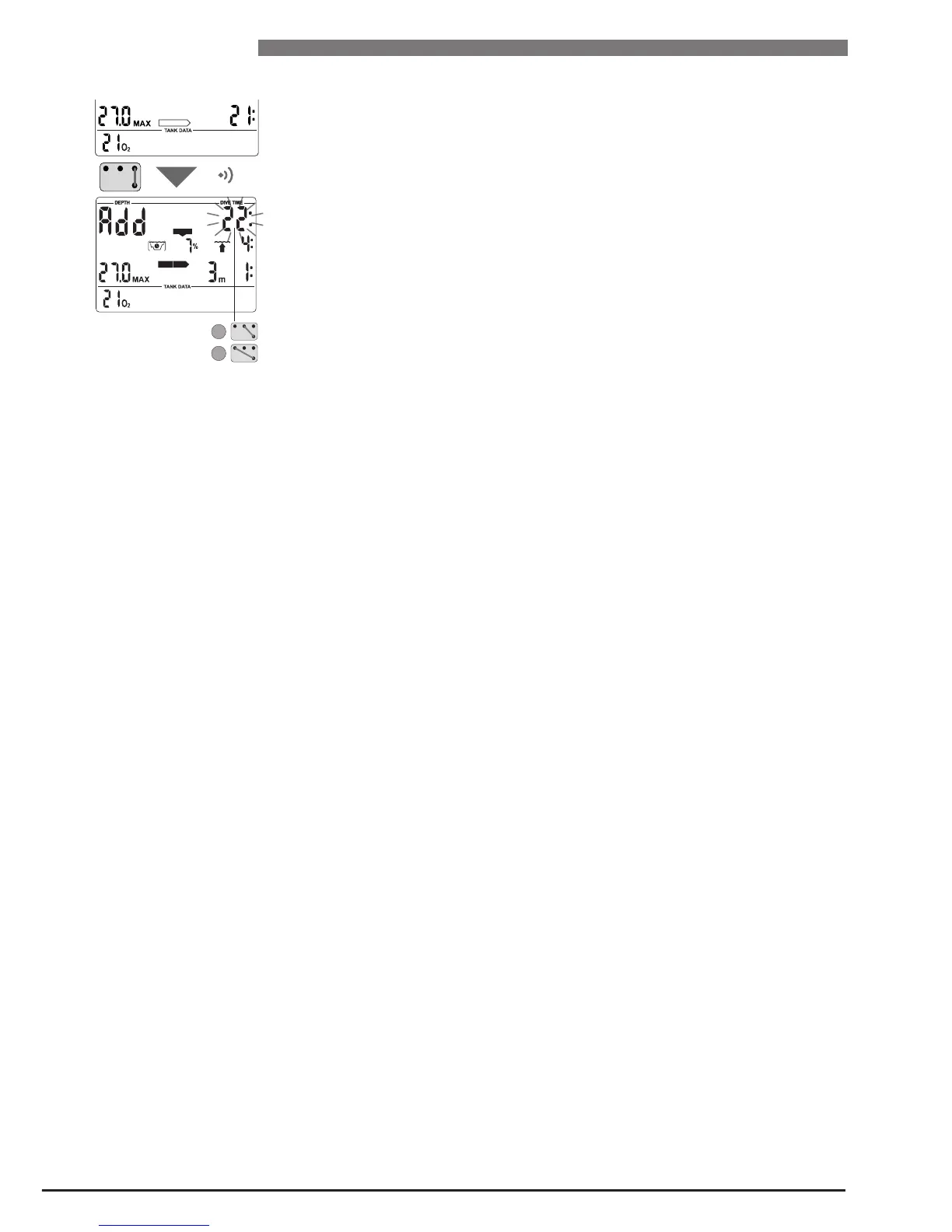
2. Wait until the desired depth appears, then switch into decompression plan-
ning by bridging contacts B and E. Smart Z shows the bottom time (no-stop
time + 1 minute) and the appropriate decompression information or level
stop data respectively.
3. "Add" asks that you set the bottom time. This is done with contacts B and +,
B and – respectively. As soon as the contacts are no longer bridged, Smart Z
calculates the decompression information or level stop data respectively for
this set bottom time.
If you wish to plan a decompression dive at another depth, switch from
decompression planning to no-stop planning by means of B and E. Smart Z
again shows the scrolling no-stop times. Now you can switch between no-stop
planning and decompression planning at will with contacts B and E.
If the calculated decompression information and the total ascent time exceed
99 minutes,
or the CNS O
2
% value exceeds 199%, the said values will start
flashing on the display or "– –" values appear and the decompression calculation
is suspended until the bottom time has been reduced accordingly. CNS O
2
%
values higher than 199% will be displayed as 199 %.
3 Leaving the dive planner
With the contacts B and E (1-2 sec) you can exit the Dive Planner. This also
occurs after three minutes without operation.

 To Next Page
 Loading...