3
Changing the TV Name
Naming your TV helps dierentiate it from other cast devices you
may have in your home.
To view your TV name:
1. Press the Menu button on the remote. The on-screen menu is
displayed.
2. Use the Arrow buttons on the remote to highlight System and
press OK. The SYSTEM menu is displayed.
3. Use the Arrow buttons on the remote to highlight TV Name
and press OK. The TV Name is displayed.
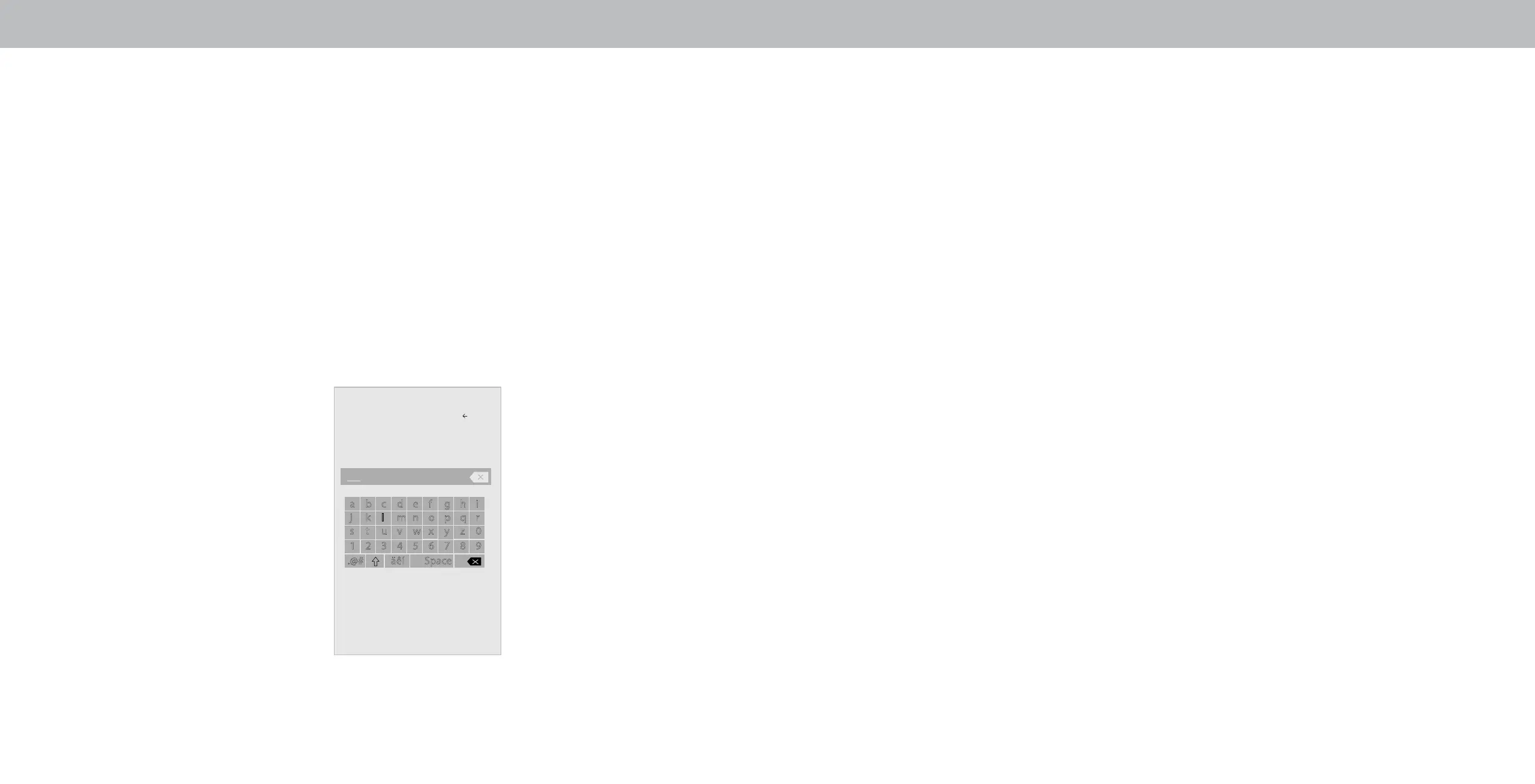
4. Enter your custom name using the on-screen keyboard.
5. Press the Exit button on the remote.
Display Name
Back
a b c d e f g h i
j k l m n o p q r
s t u v w x y z 0
1 2 3 4 5 6 7 8 9
.@# äêí Space
Living Room
Family Room
OK
Cancel
33


 To Next Page
 Loading...