16
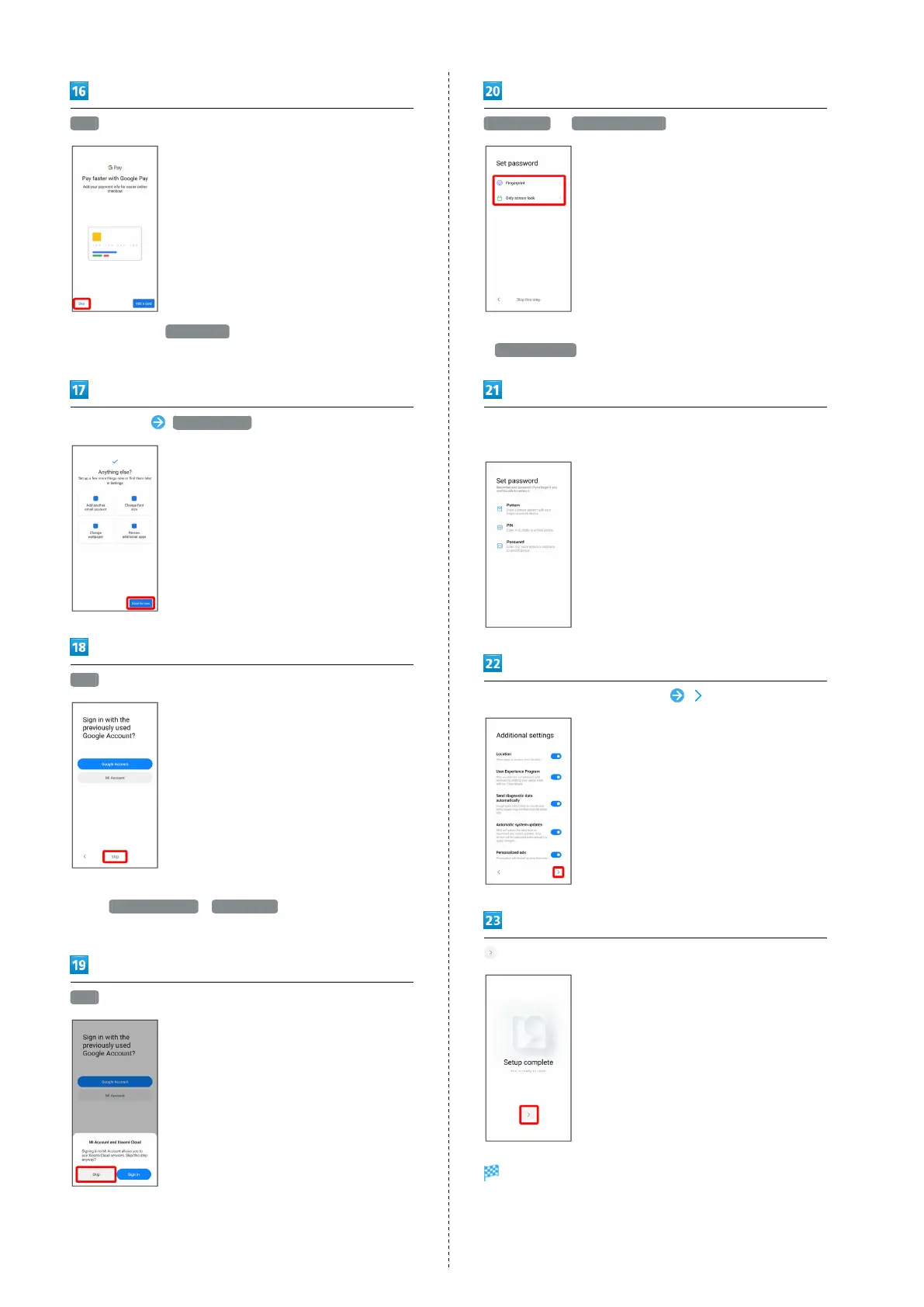
Skip
・
After Tapping Add a card , follow onscreen prompts to
save card information.
Set each item Done for now
Skip
・To sign in with a previous Google account or Mi account,
Tap Google Account / Mi Account , and follow onscreen
prompts.
Skip
Fingerprint / Only screen lock
・To not set fingerprint authentication or a screen lock, Tap
Skip this step .
Follow onscreen prompts to set unlocking using fingerprint
and a screen lock
Set items for additional settings
Settings are complete.


 To Next Page
 Loading...