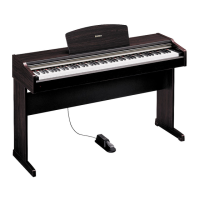
YDP-113 Connecting a Personal Computer
ENGLISH
24
Connecting a Personal Computer
You can enjoy computer music data on the YDP-113 by connecting a computer to the MIDI jack.
There are two methods by which to connect the YDP-113 to a personal computer:
1. Use a MIDI interface and the YDP-113’s MIDI connectors (page 25).
2. Use the USB port on the computer and a USB interface (model UX16, UX96, or UX256) (page 25).
NOTE
When the YDP-113 is used as a tone module, performance data with voices that are not found on the YDP-113 will not
be played correctly.
“The Clavinova-Computer Connection,” is a supplementary guidebook that describes, for beginners, what you
can do with your YDP-113 and a personal computer and how to set up a YDP-113-Computer system (although the
guidebook only mentions the Clavinova, it applies equally to the YDP-113 digital piano). The document is available as
a PDF file (in English) at the following Internet address:
Clavinova Web site (English only):
http://www.yamahaclavinova.com/
Yamaha Manual Library :
http://www2.yamaha.co.jp/manual/english/
NOTE
Before you connect the YDP-113 to a personal computer, first turn off the power to both the YDP-113 and the computer.
After you make the connections, turn on the power to the computer first, then turn on the power to the YDP-113.


 To Next Page
 Loading...