2-26 ASUS P8H61-M LX R2.0
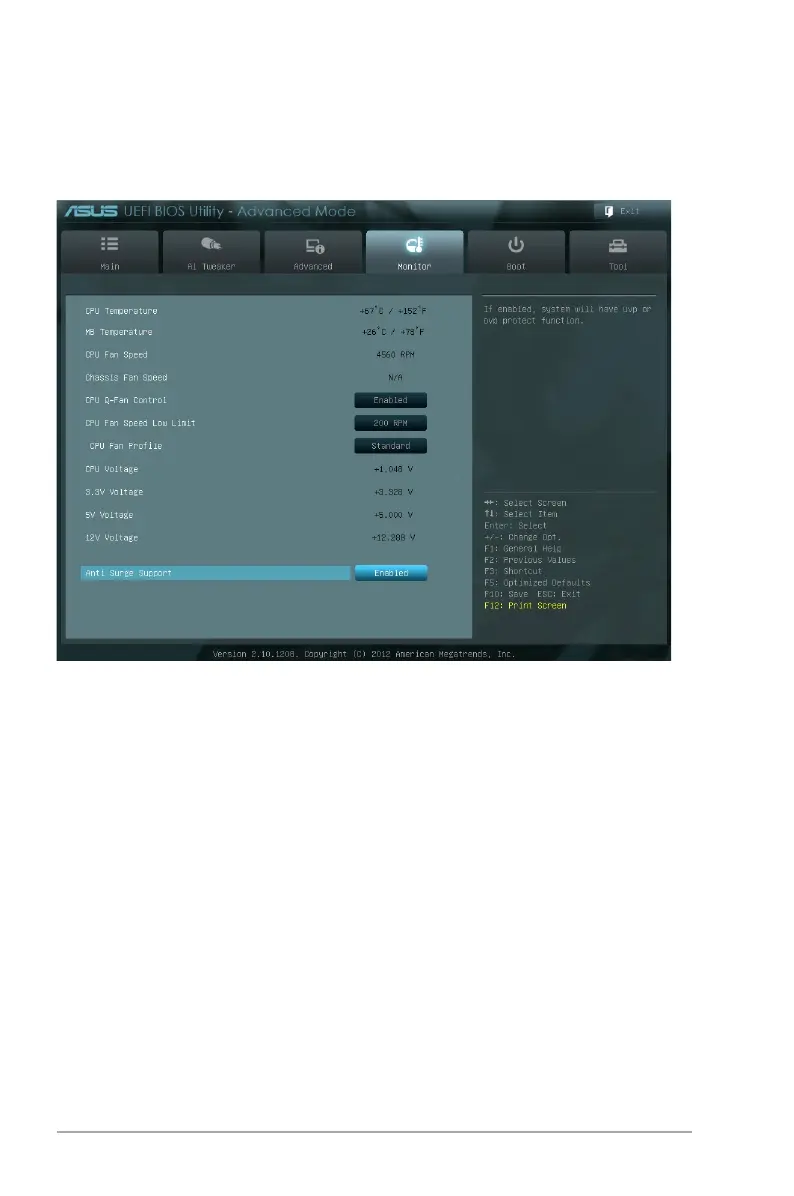
2.6.1 CPU Temperature / MB Temperature [xxx�C/xxx�F][xxx�C/xxx�F]
The onboard hardware monitor automatically detects and displays the CPU and motherboard
temperatures. Select Ignore if you do not wish to display the detected temperatures.
2.6.2 CPU / Chassis Fan Speed [xxxx RPM] or [Ignore] / [N/A]
The onboard hardware monitor automatically detects and displays the CPU and chassis fan
speeds in rotations per minute (RPM). If the fan is not connected to the motherboard, the eld
shows N/A. Select Ignore if you do not wish to display the detected speed.
2.6.3 CPU Q-Fan Control [Enabled]
[Disabled] Disables the CPU Q-Fan control feature.
[Enabled] Enables the CPU Q-Fan control feature.
2.6 Monitor menu
The Monitor menu displays the system temperature/power status, and allows you to change
the fan settings.


 To Next Page
 Loading...