33
When using stroboscopic flash with a slow shutter speed, you can shoot
multiple successive movements within a single picture, similar to stop-
motion pictures.
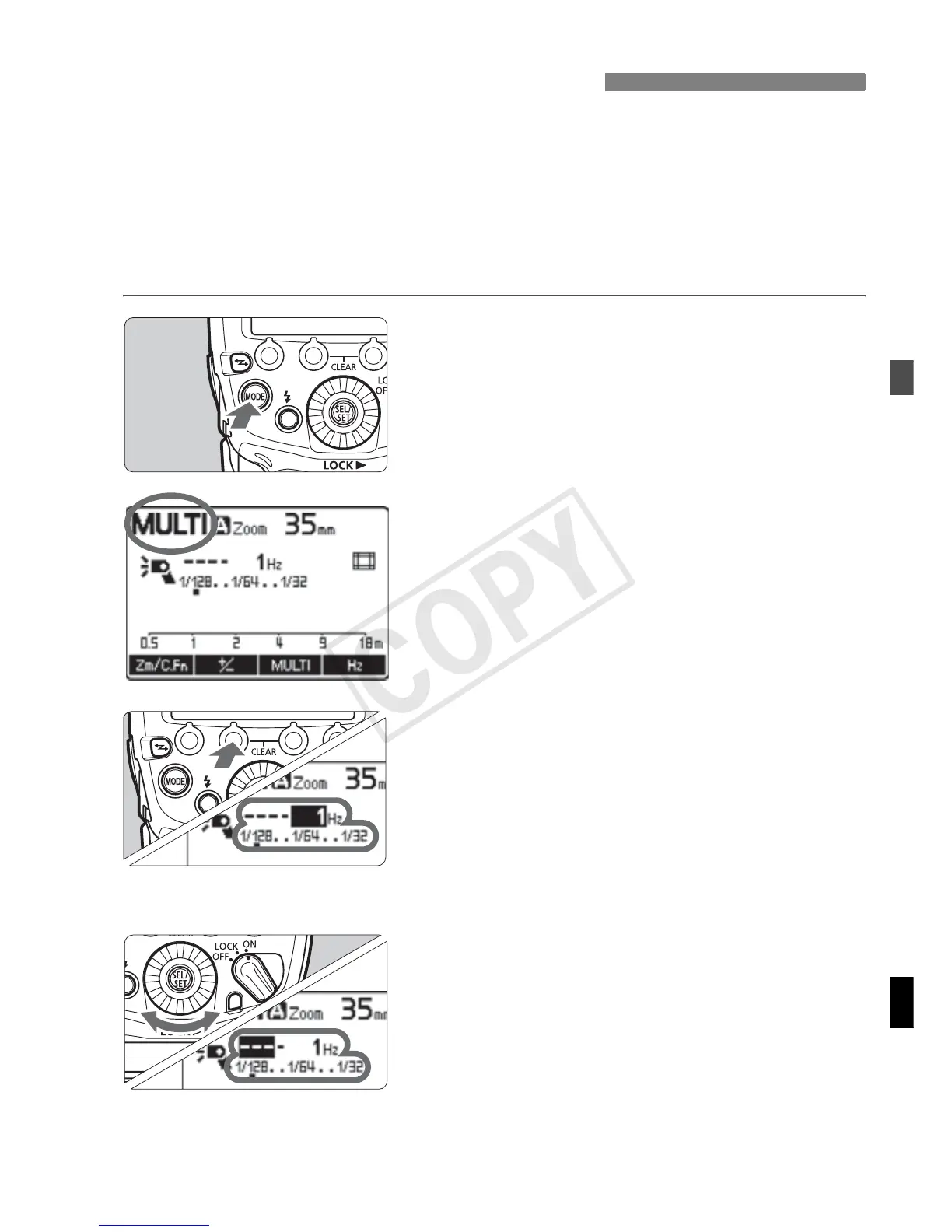
In stroboscopic flash, set the flash output, number of flashes, and flash
frequency (number of flashes per second = Hz). For the maximum
number of continuous flashes, see page 35.
1
Set the flash mode to <?>.
Press the <E> button and set to
<?>.
2
Select an item.
Press the <@> function button
for the flash output, press <Q>
for the number of flashes, and press
<G> for the flash frequency.
X You can set the item of the button you
pressed.
3
Set the value.
Turn <9> to set the value, and
press the <8> button.
Repeat steps 2 and 3 to set the flash
output, number of flashes and flash
frequency.
?: Stroboscopic Flash


 To Next Page
 Loading...










