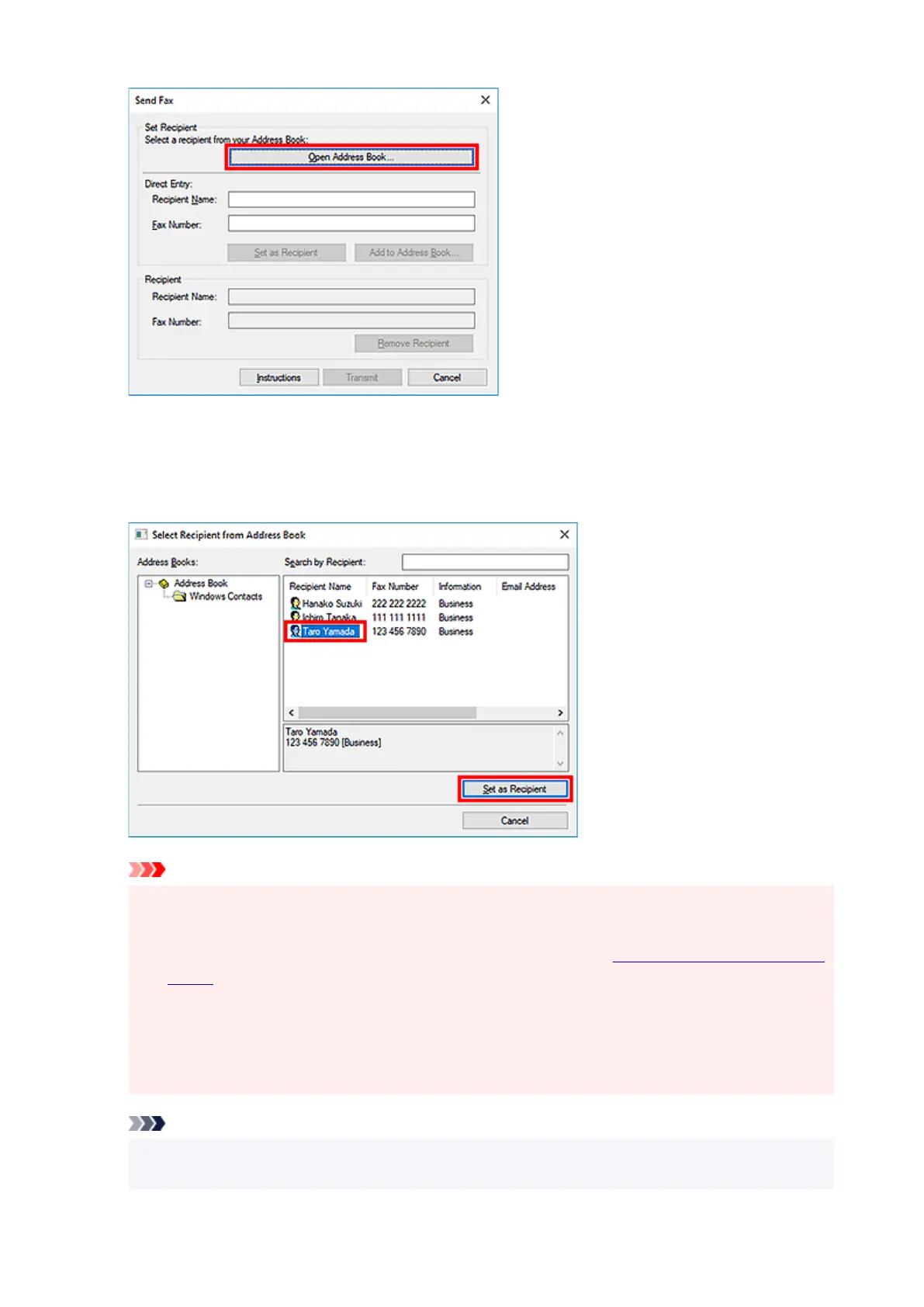
6.
Select a recipient from Recipient Name in the Select Recipient from Address Book
dialog box, then click Set as Recipient.
The selected recipient is reflected in Recipient in the Send Fax dialog box.
Important
•
You cannot specify a recipient if there is no recipient registered in the address book. Register the
recipient in the address book and reopen the address book.
For details on how to register recipients in the address book, see "Creating an Address Book (Fax
Driver)."
•
If the recipient's fax/telephone number is entered incorrectly or the registered fax/telephone
number is incorrect, the fax may be sent to an unexpected recipient. When sending an important
fax, it is recommended that you send it after confirming the entered information and recipient's
status.
Note
•
You can also specify Recipient by entering the Recipient Name and Fax Number in Direct
Entry in the Send Fax dialog box and then clicking Set as Recipient.
417


 To Next Page
 Loading...