ENGLISH
7
Product Overview
Setup
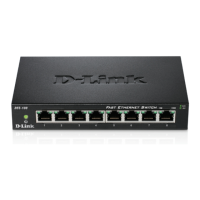
The setup of the DES-1008E can be performed using the following steps:
• Thepoweroutletshouldbewithin1.82meters(6feet)oftheSwitch.
• VisuallyinspecttheDCpowerjackandmakesurethatitisfullysecuredtothepoweradapter.
• DonotcovertheventilationholesonthesidesoftheSwitch,andmakesurethereisadequateventilationaroundit.
• Donotplaceheavyobjectsontheswitch.
Package Contents
Introduction
Fast Ethernet Technology
The growing importance of LANs and the increasing complexity of desktop computing applications are fueling the need for high performance
networks.100BASE-TX (FastEthernet) providesacost-eectiveand high-performancesolutionfor smallworkgroups,SMBs(SmalltoMedium
Businesses), and any network supporting bandwidth-intensive applications. Fast Ethernet technology operates at 10 times the speed of traditional
Ethernet,oeringmaximumperformanceandenhancedcapabilityforexistingEthernet-basednetworks.
100Mbps Fast Ethernet is a standard specied by the IEEE 802.3 LAN committee. It is an extension of the 10Mbps Ethernet standard with the ability
to transmit and receive data at 100Mbps, while maintaining the CSMA/CD Ethernet protocol. Since the 100Mbps Fast Ethernet is compatible with all
other 10Mbps Ethernet environments, it provides a straightforward upgrade and takes advantage of the existing investment in hardware, software,
and personnel training.
WallMountKit
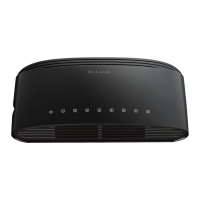
D-Link DES-1008E 8-port Desktop Switch
Power Adapter
Warranty Card
Quick Install Guide


 To Next Page
 Loading...