www.DaikinApplied.com 9 IM 916-5 • MICROTECH COMMUNICATION MODULE
Follow these procedures if you can control the unit controller
from the display menu, but unable to communicate from the
network.
Network Parameters
→ Verify that network parameters are set correctly as
shown in Table 3.
→ Make sure there are no duplicate devices on the
network (Device Name and Device ID, for example).
→ Check the use of the character # at the end of each
IP setting. There should not be a “space” at the end.
→ Be aware that the unit controller must be restarted
when a “Reset Required” message appears. Power
o/on the unit controller after all settings have been
congured and then select Apply Changes from the unit
conroller display menu.
Network wiring
→ Check for loose connections and that devices are
plugged in properly.
→ Conrm that the link light for each device’s connector
is on, which indicates that information is capable of being
sent and received.
Compatibility
→ Verify the unit controller software application version
and communication module BSP version.
Network Communications
→ Conrm that the DHCP parameter is set to “O”
when a static IP address is being used for non-DHCP
networks.
→ Check that the dened UDP port, e.g. BAC0, is open
in the rewall.
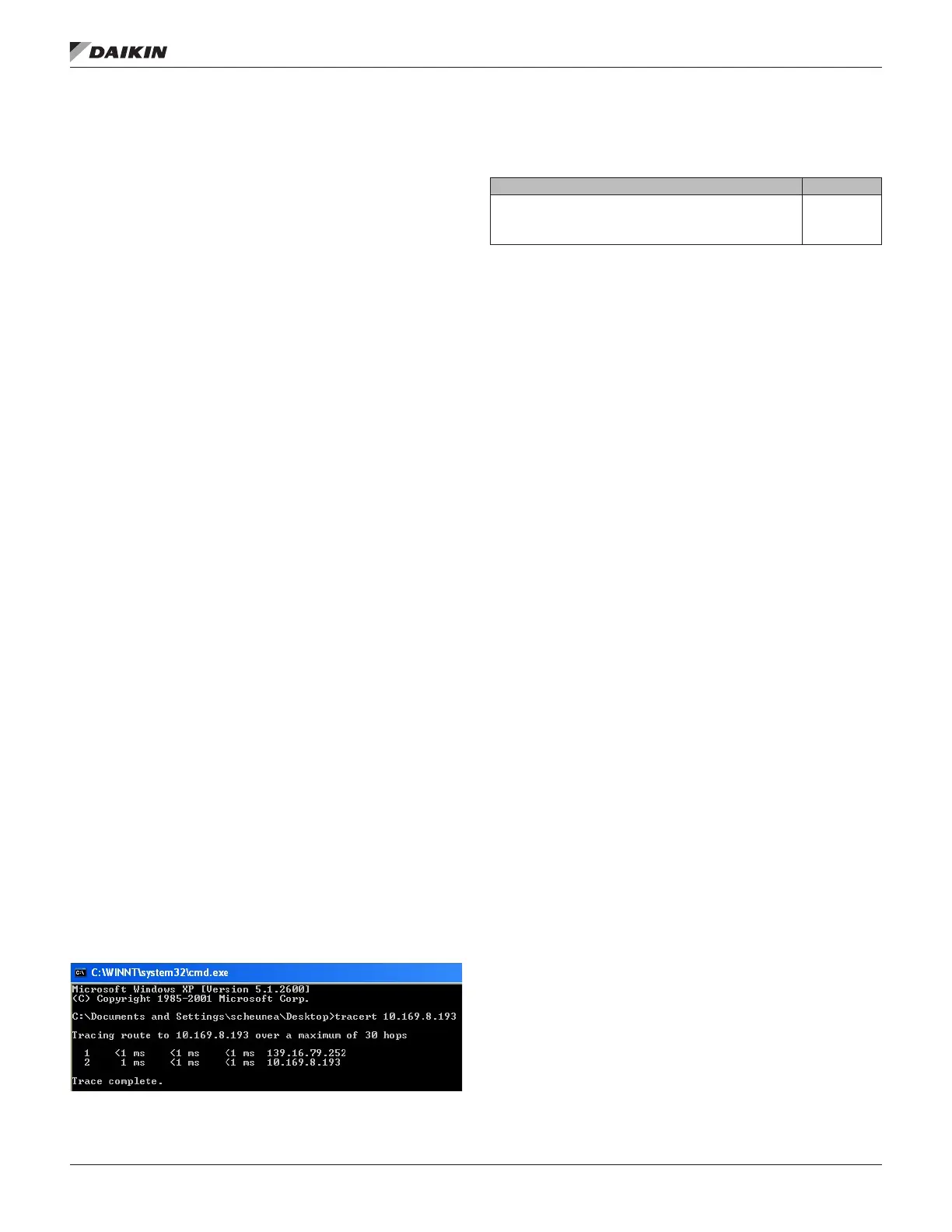
→ Verify if BBMDs are required. BBMD must be used
if the BACnet client and BACnet server are located on
dierent subnets. Use the command “tracert” to check
this. Tracert shows all stations used to forward the
signal to another segment. See Figure 6 for the result
of a BBMD network as displayed by using the “tracert”
command.
Figure 6: Example of Conrmed BBMD NetworkContact the
Table 4: Replacement Parts List
MicroTech III Applied Rooftop/MicroTech 4 Rebel Applied
BACnet IP Communication Module Kit. Kit includes
communication module, board-to-board connector, and
Installation Manual
090016709
Contact the Daikin Applied Controls Customer Support Group
at 866-462-7829 for additional assistance, if necessary.
Refer to the appropriate Unit Controller Operation Manual for
additional information about using the unit controller display
menu options for setting unit parameters and modifying
unit setpoints. Also refer to the respective Unit Controller
Integration Guide for all BACnet objects and other network
communication information. See Reference Documents for
literature descriptions and locations.



 To Next Page
 Loading...