27
Installation
|
NOTE: Dell recommends a minimum of 63.5 mm (2.5”) free space behind the UPS rear panel, and a minimum of
127 mm (5”) between cabinets.
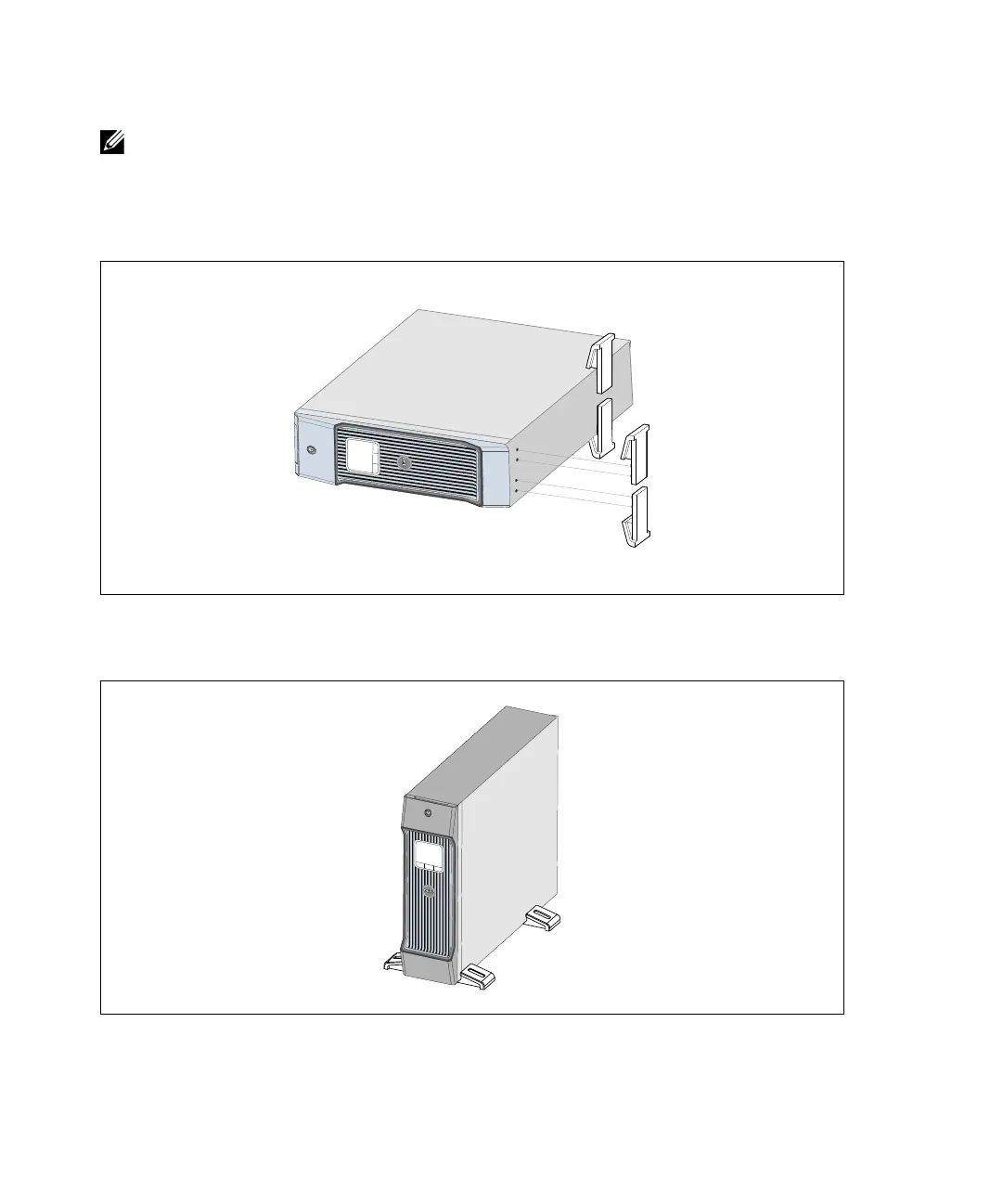
7 Place the cabinet horizontally so that the right end of the cabinet is accessible (see Figure 24).
8 Align the pedestals with the holes on the end of the cabinet. Push the pedestals in place.
Figure 24. Installing the Pedestals
9 Carefully position the cabinet upright (see Figure 25).
Figure 25. Tower Configuration


 To Next Page
 Loading...





