Installing System Components 117
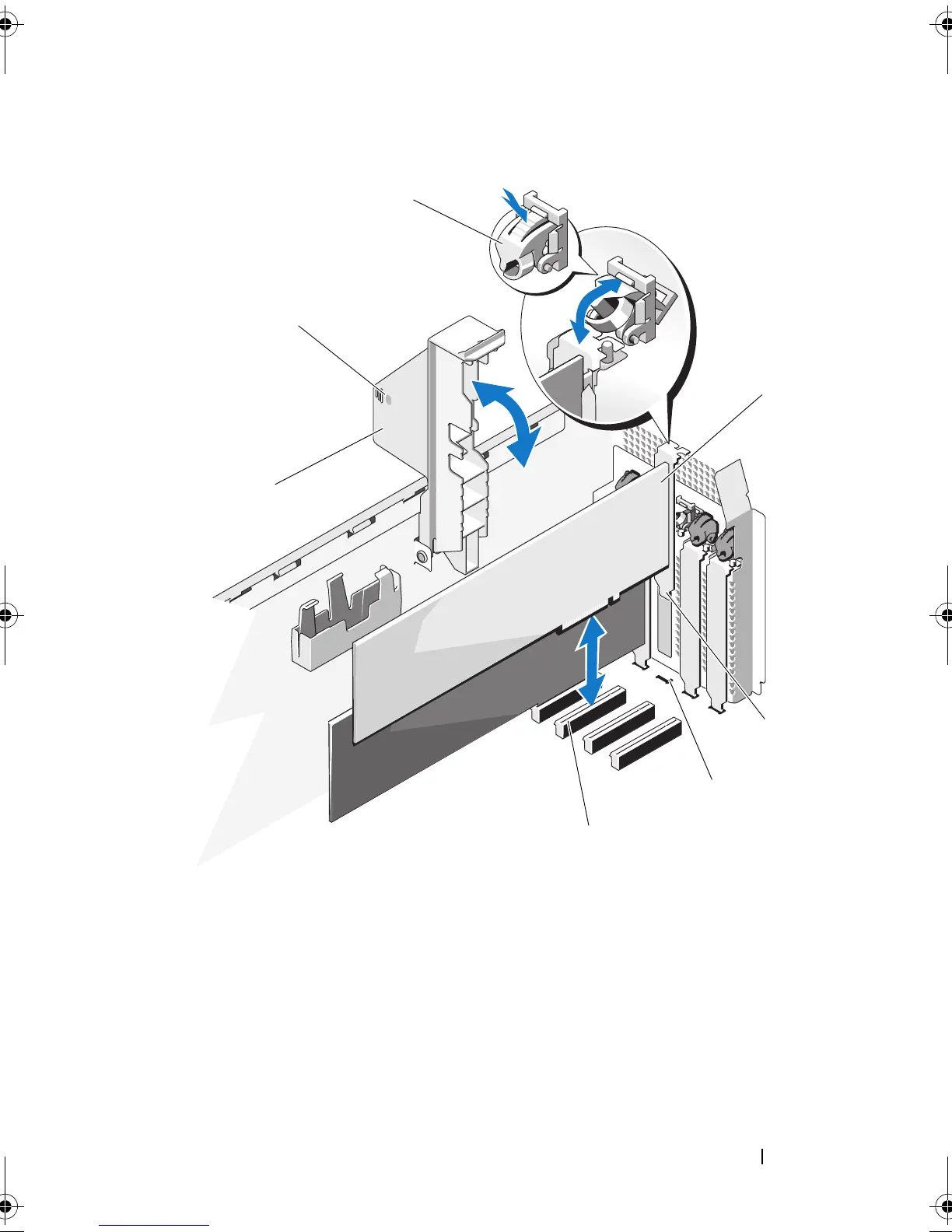
Figure 3-14. Removing and Installing an Expansion Card
1 expansion card latch 2 expansion card
3 expansion card tab 4 expansion card tab slot
5 expansion card connector 6 expansion card stabilizer
7 expansion card stabilizer touch
points (2)
book.book Page 117 Tuesday, June 9, 2009 4:09 PM


 To Next Page
 Loading...