106 Using Your Projector
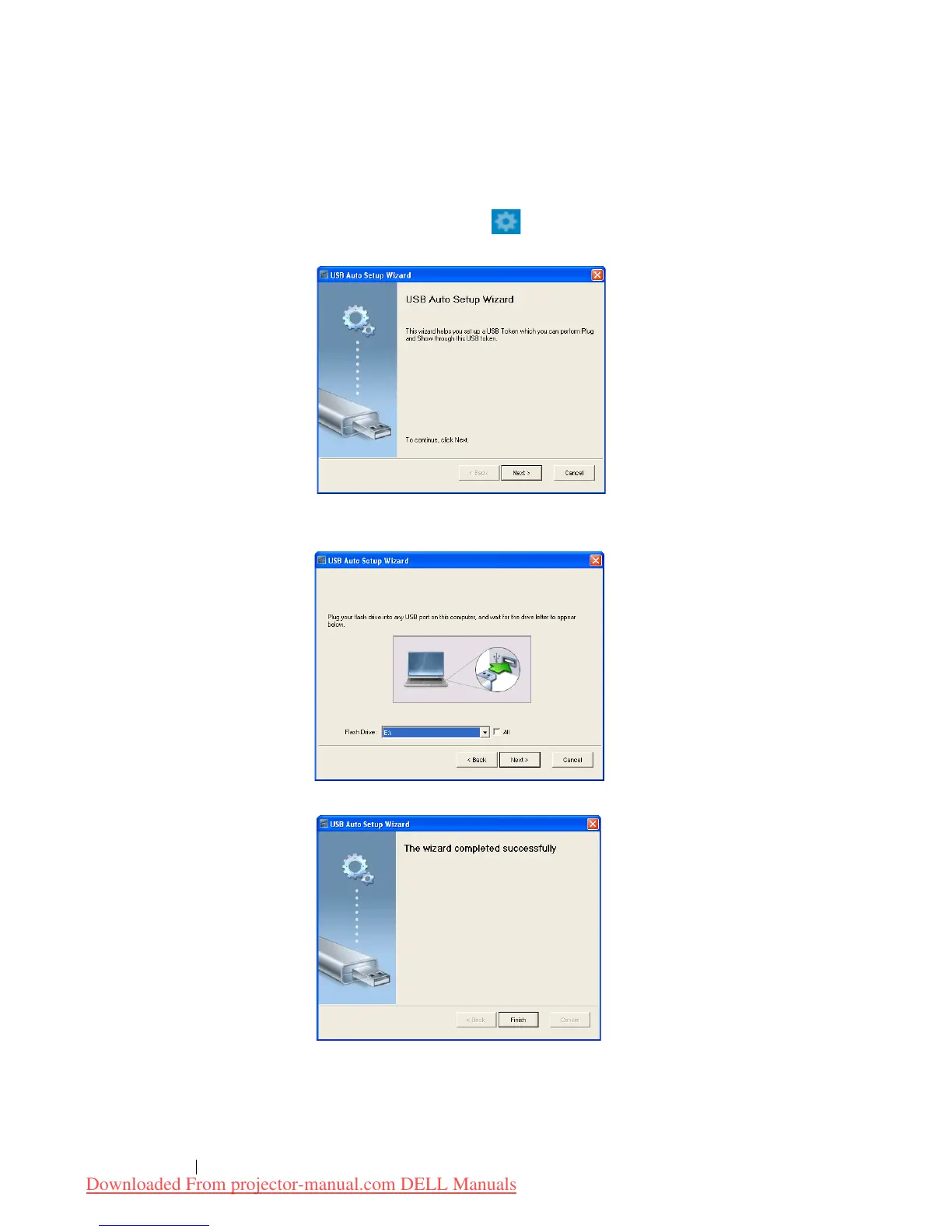
Make Application Token
The Application Token lets you perform Plug and Show using a USB token.
1 From the application software, click >
USB Dongle
2 The following screen appears. Click
Next
.
3 Plug a flash drive into any of the USB ports on your computer. Select
the drive from the list, then click
Next
.
4 Click
Finish
to close the wizard.
Downloaded From projector-manual.com DELL Manuals


 To Next Page
 Loading...













