Resetting factory settings
If the earphones are not working properly, reset them.
The various settings are reset to the factory default. Configure the settings again.
1
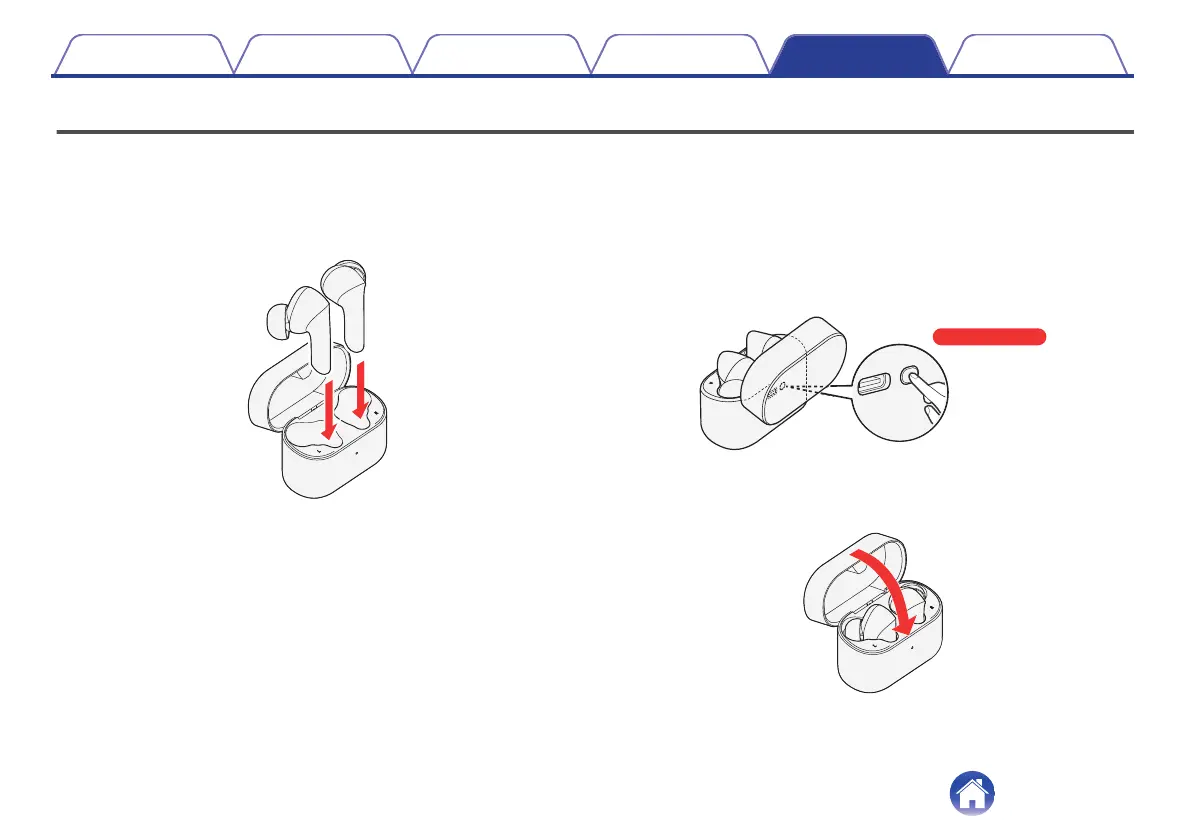
Insert the earphones in the charging case.
0
Do not close the lid of the charging case.
.
2
With the lid of the charging case left open, long press
the multi-function button for approximately 10
seconds.
After the status LED blinks for 3 seconds alternating between red
and green.
.
3
Close the lid of the charging case.
All the settings are reset to the factory default.
.
Contents
Preparation Connections Operation Troubleshooting Appendix
37


 To Next Page
 Loading...