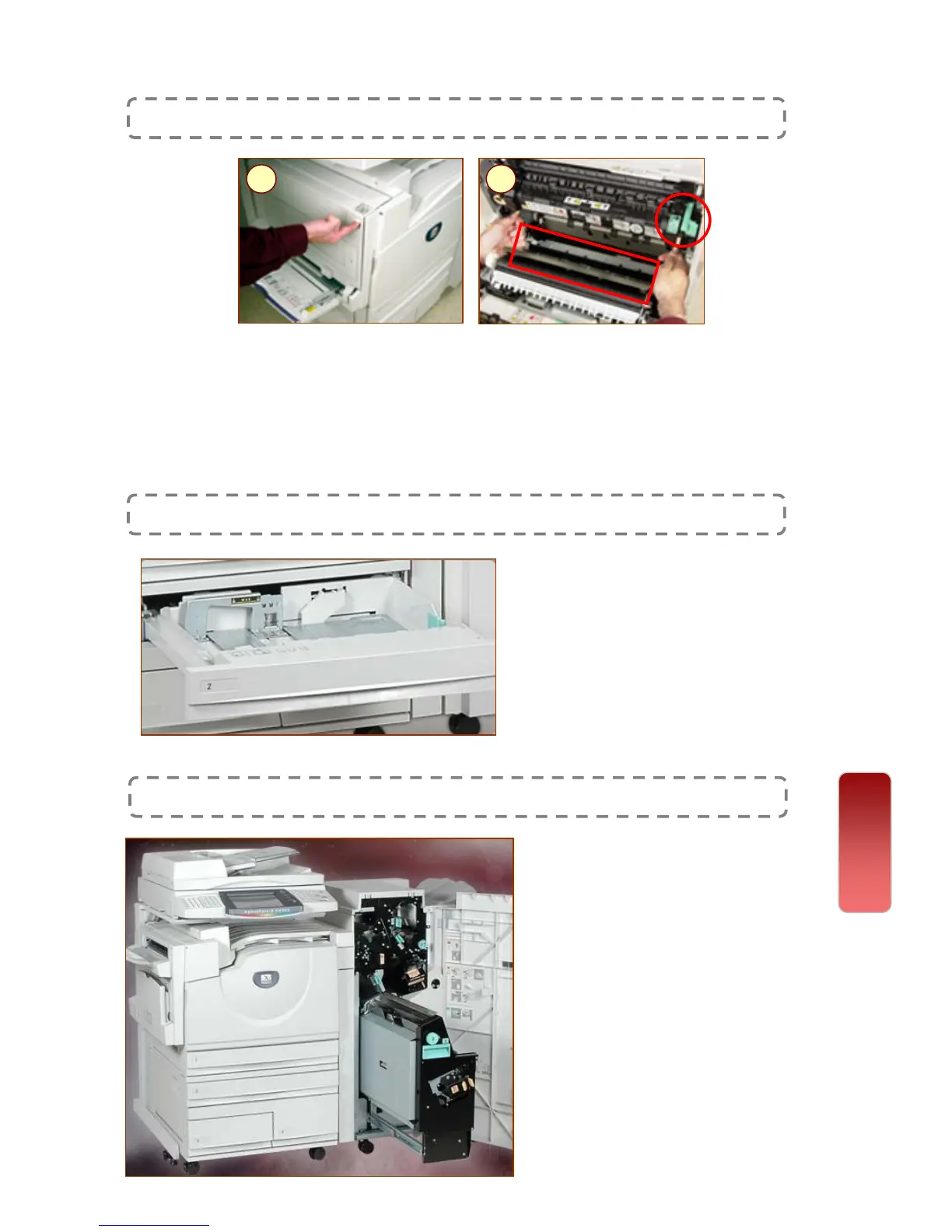
1: Gently open the top left cover & Pull both edge of the jammed
paper to remove. Gently close the cover.
2: If paper jammed inside the fuser area, lift green lever to remove
paper. Reposition green lever once done. Gently close the cover.
CAUTION! Fuser Cartridge may be very hot, Handle with care.
Paper Jam in Fuser Area
1 2
Paper Jam in Paper Tray 1, 2, 3, or 4
Gently pull out paper tray and
remove any jammed paper.
If paper torn, try to remove any
torn pieces inside the machine.
Gently push in the tray.
Paper Jam in Finisher Unit * Optional Feature
Gently open the finisher door.
Remove any jammed paper at
selected area displayed on the
screen.
If paper torn, try to remove any
torn pieces inside the machine.
If the edge of the jammed paper
can be reached, pull the jammed
paper to remove the jammed
paper.
Gently close the cover.
Paper Jams
Clearing Paper Jams
36
36


 To Next Page
 Loading...