1. OPERATION
1-12
1.6 How to Select a Range
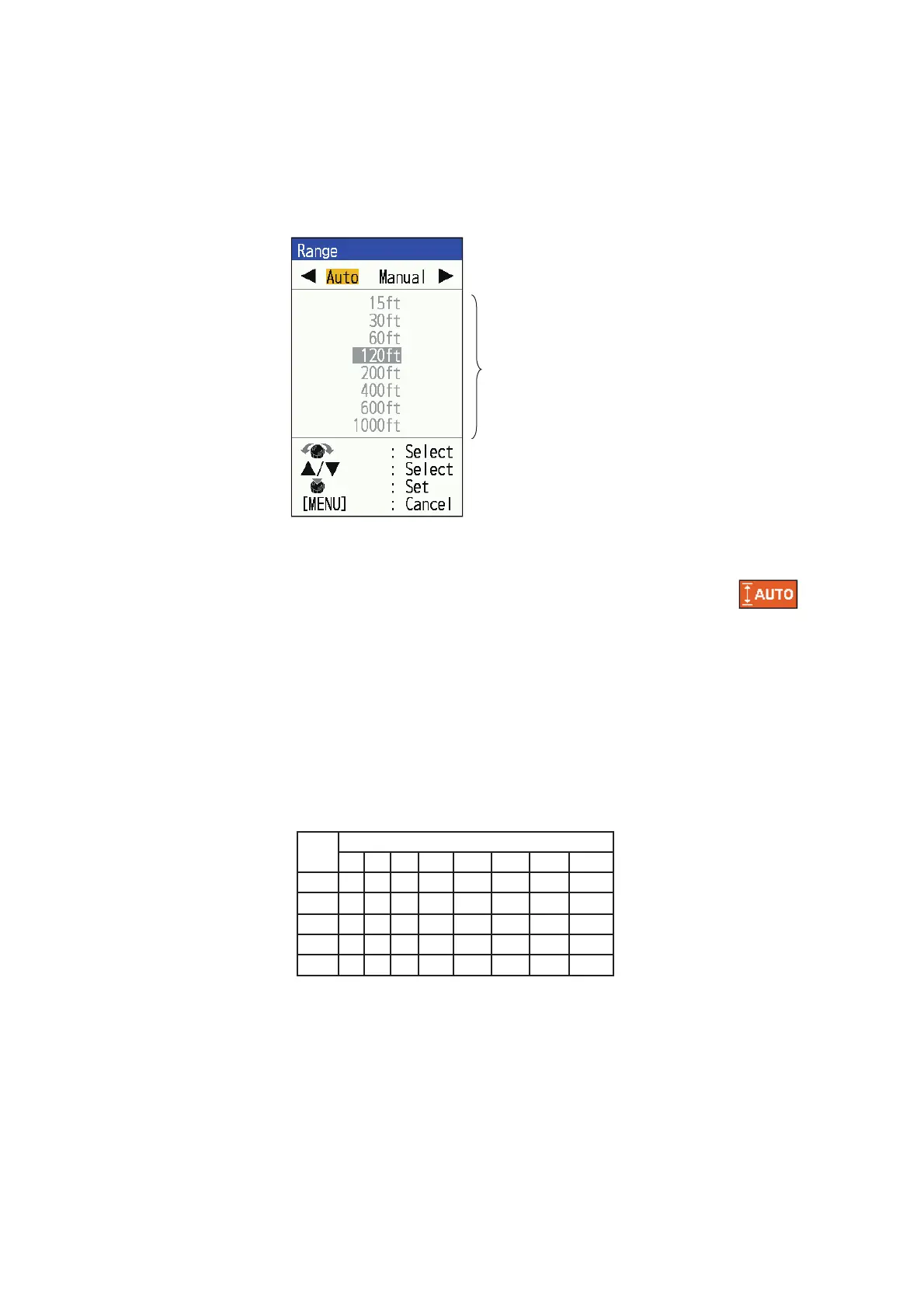
The basic range may be selected in the [Auto] or [Manual] mode.
Note: The RANGE key is inoperative when the bottom discrimination feature is active.
1. Press the RANGE key to open the [Range] setting window.
2. Use or to select [Auto] or [Manual].
• [Auto]: The range changes automatically to display the bottom echo on the
screen always. (The shift function is inoperative in the auto mode.) [ ]
is shown at the top left corner on the screen. Note that the deepest detection
range of Auto Range is the largest setting of [Range 1] to [Range 8] of Manual
Range. In case the sea bottom is deeper than the largest setting of Auto Range,
set the setting of [Range 1] to [Range 8] deeper than the sea bottom.
• [Manual]: The range may be selected from the eight ranges listed below.
If you selected [Auto], go to step 4.
For [Manual], continue to the next step.
3. For [Manual], use the RANGE key (or ) to select the range. Also rotating
KNOB can be used to select the range.
*: Japanese unit of depth measurement (hiro)
4. Press the KNOB.
Note: The value for range can be adjusted (see page 2-1).
Select [Manual]
mode to enable.
Unit
Basic Range
1
2
3
456 7
8
1000
600
400
200120603015
300
200150
80
40
2010
5
m
ft
fm
150
100
80
40
2010
5
3
pb
200
150
100
20
501053
HR*
200
150
1005030
15
84


 To Next Page
 Loading...





