1. OPERATION
1-22
1.15 A-scope Display
The A-scope display shows echoes at each transmission with amplitudes and tone
proportional to their intensities, on the right 1/3 of the screen. The display shows
strong echoes with strong amplitude; weak echoes in weak amplitude. Thus the A-
scope display is useful for estimating the kind of school of fish and bottom composi-
tion.
Note: The A-scope display is only available with the high frequency display in dual fre-
quency operation.
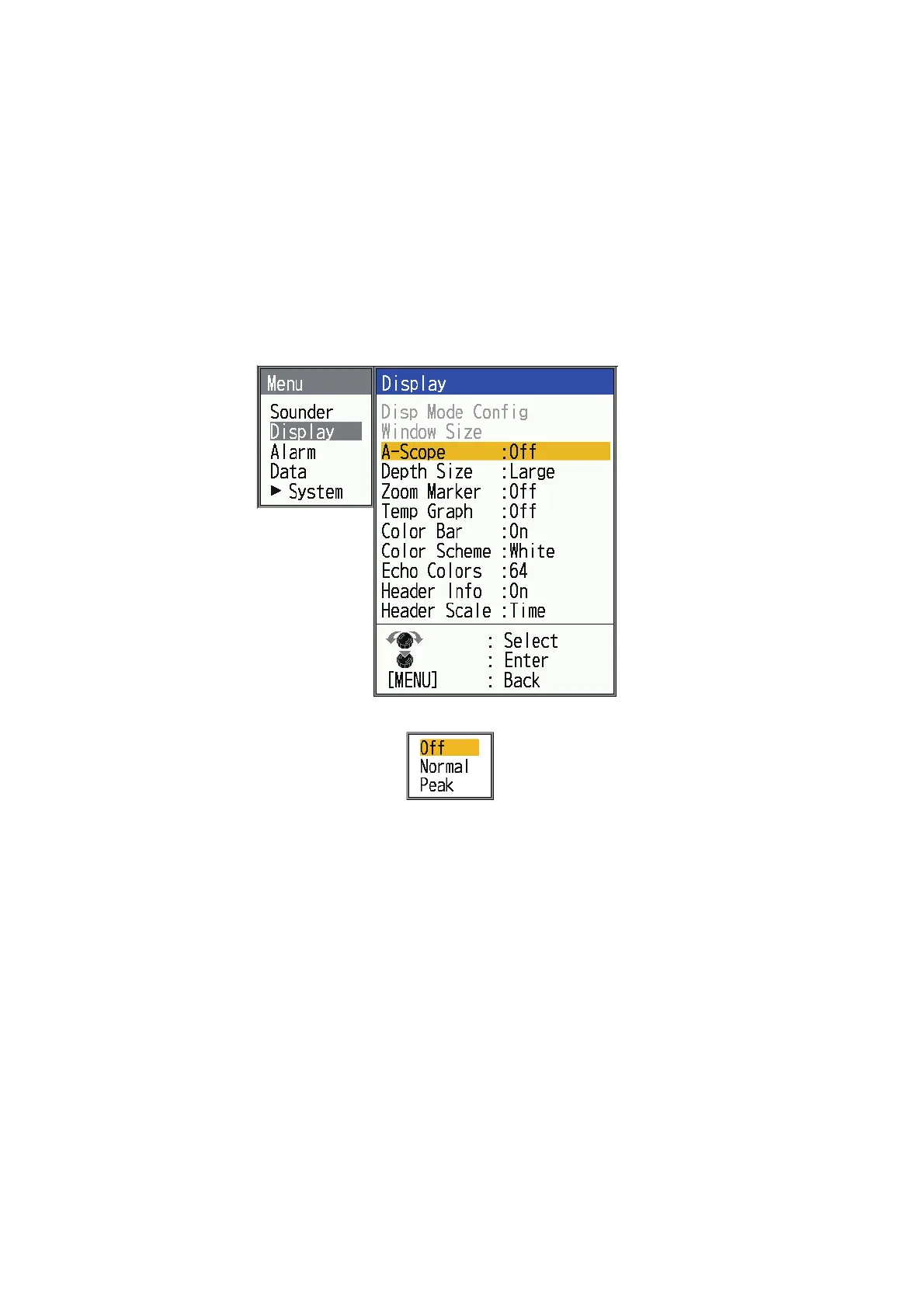
1. Press the MENU/ESC key to open the menu.
2. Select [Display], then press the KNOB.
3. Select [A-Scope], then press the KNOB.
4. Select the A-scope presentation type desired, then press the KNOB.
[Off]: Turn off the A-scope display.
[Normal]: Display shows echoes at each transmission with amplitudes and tone
proportional to their intensities.
[Peak]: "Normal" A-scope display plus peak-hold amplitude picture for last five
seconds in dots.


 To Next Page
 Loading...





