GTX 330/GTX 330D Installation Manual Page 5-5
190-00207-02 Revision R
5.2 Configuration Pages
NOTES
The configuration descriptions given in this section reflect software version 6.00
or higher. Software version 4.01 or later is required for Mode S Enhanced
Surveillance (EHS).
When connecting the GTX 330 to a GNS 480 (CNX80) the transponder can be
configured from either the GNS 480 (CNX80) or the GTX 330. Although
possible from the GNS 480 (CNX80), configuration from the GTX 330 front
panel offers more functions and easier to interpret displays.
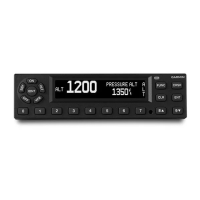
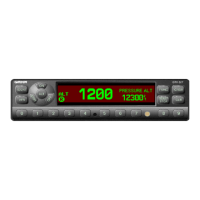
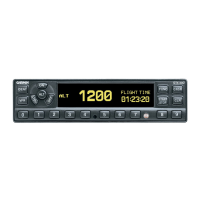
Holding down the FUNC key and pressing the ON key provides access to the configuration pages. The
FUNC key sequences forward through the configuration pages. The START/STOP key reverses through
the pages, stopping at the Menu page. The CRSR key highlights selectable fields on each page. When a
field is highlighted, the 0 – 9 keys enter numeric data and the 8 or 9 keys move through list selections.
Press the CRSR key to accept changes. When a field is highlighted, pressing the FUNC key moves to the
next configuration page without saving the changes.
Changes made through the configuration pages are stored in EEPROM memory. To exit the
configuration pages, turn the power off. Then turn on again (without holding the FUNC key) for normal
operation.
The configuration page sequence is as follows (menu categories are listed in parentheses):
• ‘Jump To’ Menu
• Audio and Messages #1
• Audio and Messages #2
• Traffic Messages
• Display Mode
• Display Backlight
• Key Backlight
• Contrast
• VFR Key Configuration
• ARINC 429 Input #1 (First I/O Configuration page)
• ARINC 429 Input #2 (Second I/O Configuration page)
• ARINC 429 Output
• RS-232 Input Output
• Operation Configuration #1 (First Aircraft Configuration page)
• Operation Configuration #2 (Second Aircraft Configuration page)
• Temperature
• Aircraft Address
• Flight ID
• Aircraft Type
• Aircraft Size
• ADS-B Configuration (ES Enabled Units Only)
• EHS
• Gray Code Input
• External Switch State
• Analog Input
• RS-232 Input Display
• ARINC 429 Input Display #1
• ARINC 429 Input Display #2


 To Next Page
 Loading...