Thermal Image Scope User Manual
6
2.3 Install Rail
Steps
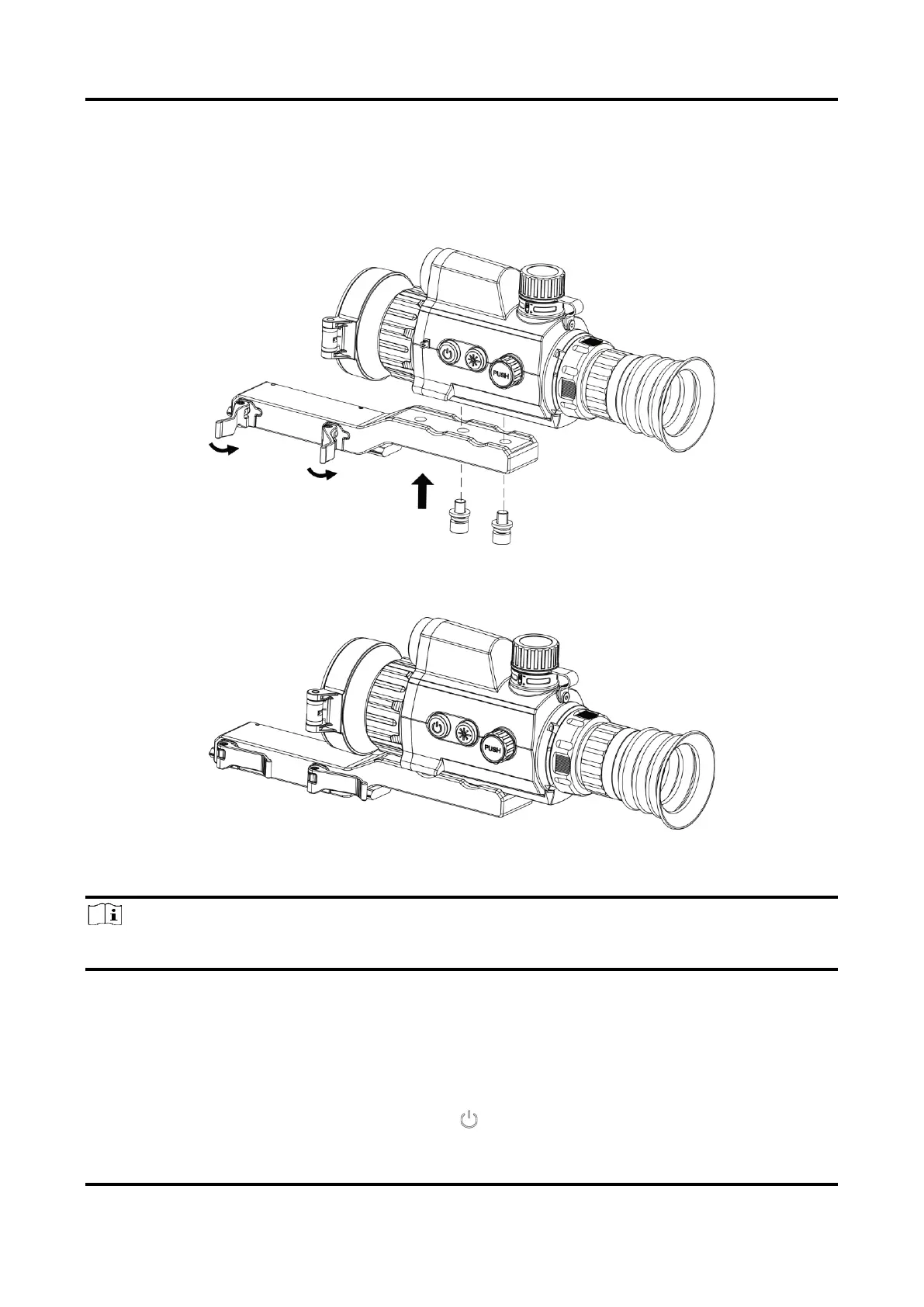
1. Align the screw holes on the device with those on the rail.
Figure 2-5 Install Screws
2. Insert the screws into the holes and tighten them securely.
Figure 2-6 Secure Device
3. Tighten the levers to secure the device.
Note
The rail is not included in the package. Please purchase separately it as needed.
2.4 Power On/Off
Power On
When the battery is sufficiently charged, hold for about 2 seconds to power on the device.


 To Next Page
 Loading...