2
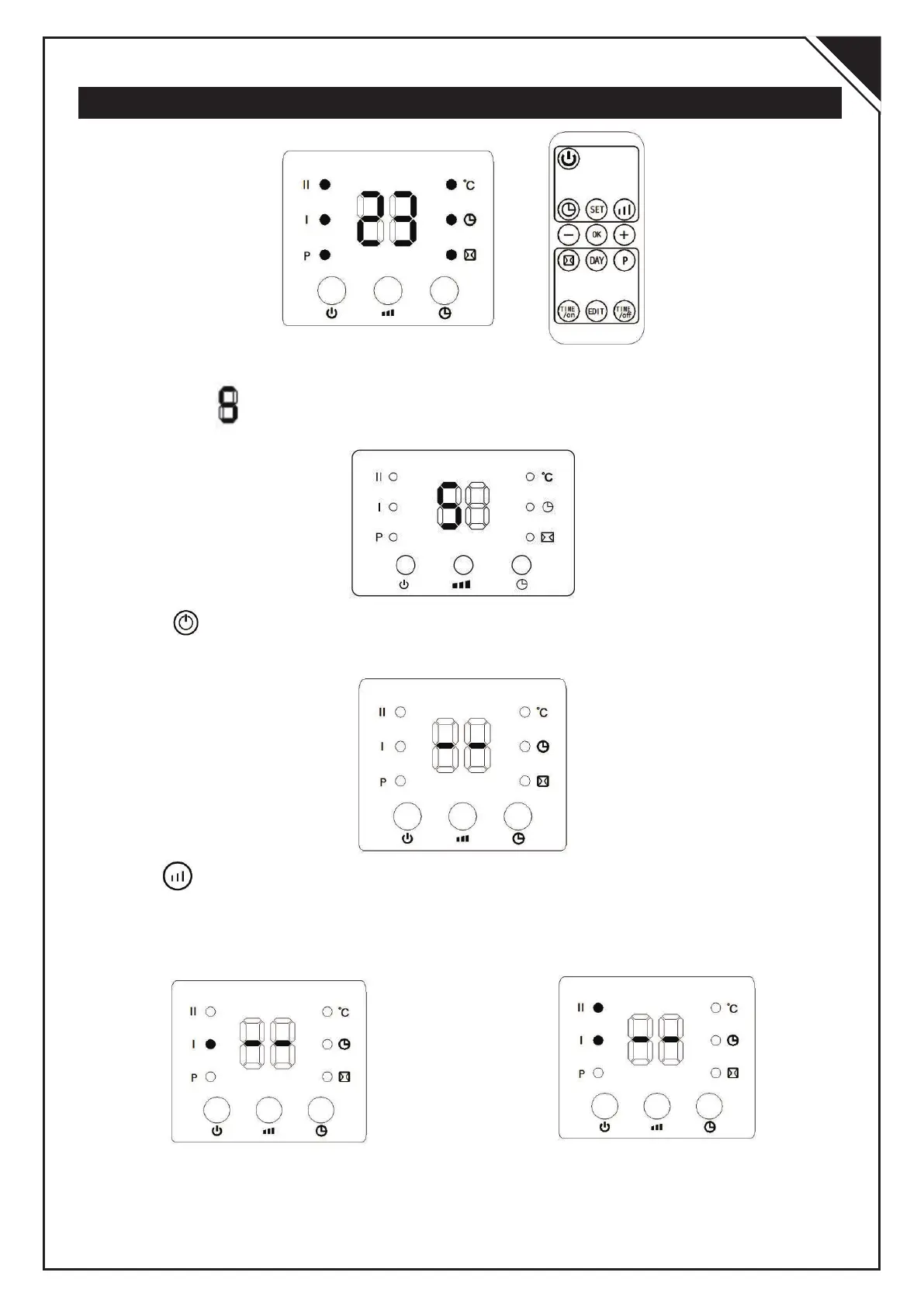
Function operation (both machine & remote control)
1.Plug in and switch on by pressing the red switch 0/I, enter into standby mode and
display shows“ ”:
2. Press” “ button, enter into fan mode and display shows ”- -“
3. Press” “ button for one time, the product works with low heating(1000W) and
display shows“-- / I”. Press again, changes to high heating(2000W) and display
shows “ -- / I / II”.
EN


 To Next Page
 Loading...