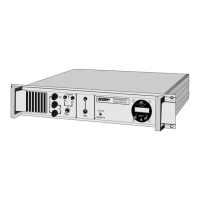
Regular test procedure:
6.3 Cleaning of dirt and oil
To clean away oil and dirt from the radio, use ordinary dish-soap and water.
Immerse the radio into the solution for apx. 5 min. and wash it clean. The water
temperature can be up to 45
o
C warm. Finish of by rinsing with fresh water.
Unit will bleep (if volume adjusted to proper level) and
121.5 LEDs will light.
If Tx light is flashing, change the battery. Also check if
Tx light is flashing during transmitting.
Check if VOL control is smooth operating, and check
if sound is increasing gradually.
Check if SQ control is smooth operating, and check
that noise is muted with increasing squelch level.
Check that Tx is lighting when transmitting. Tx light
indicates that carrier is produced at the antenna
output.
Communicate with another radiotelephone to test
receive and transmit functions.


 To Next Page
 Loading...