30
ENGLISH
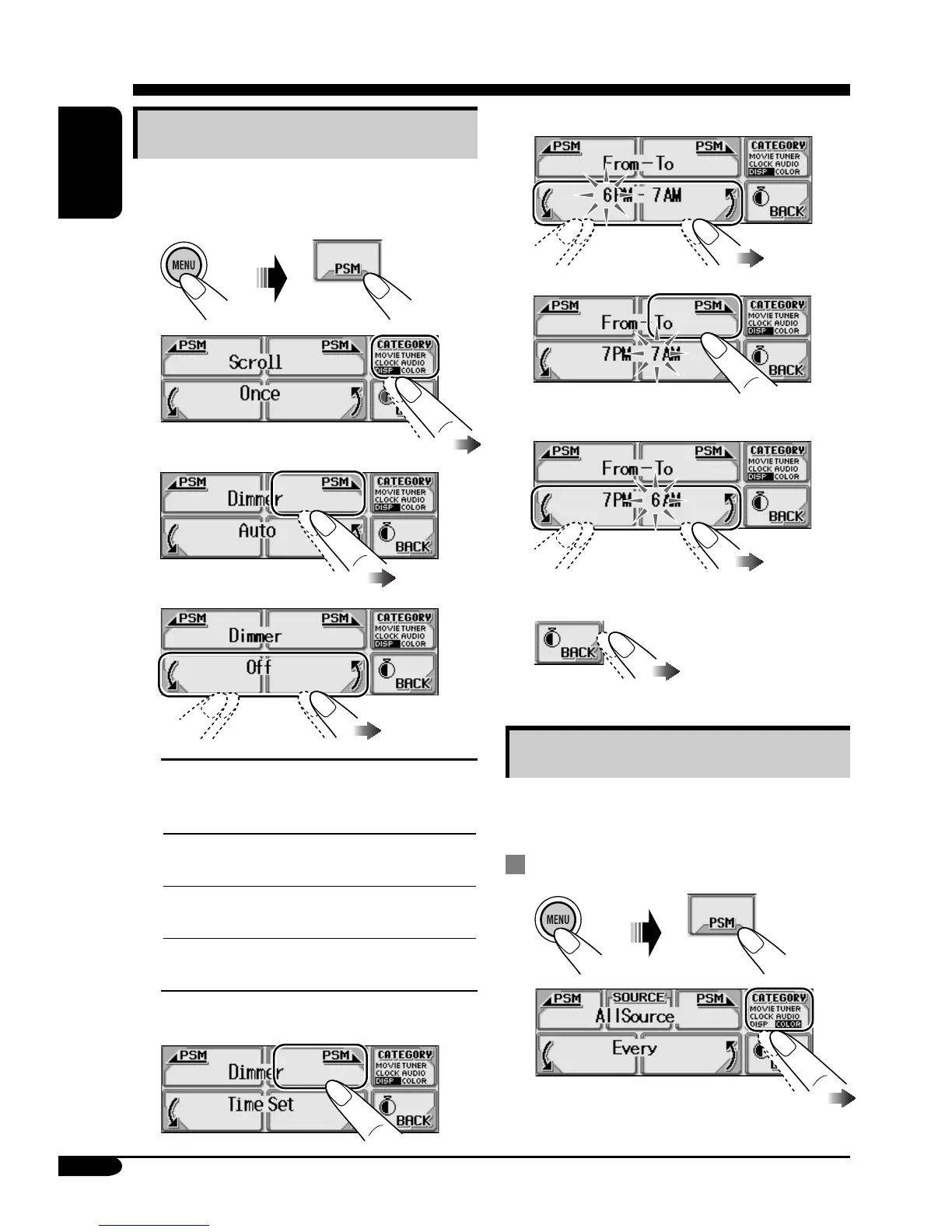
6 Set the dimmer start time.
7
8
Set the dimmer end time.
9
Exit from the setting.
Changing the display color
You can select your favorite display color for
each source (or for all sources).
Setting the display color
1
2
Selecting the dimmer mode
You can dim the display at night or as you set
the timer.
1
2
3
4
Auto:
Dims the display when you
turn on the headlights.
\ Go to step 9.
Off:
Cancels.
\ Go to step 9.
On:
Always dims the display.
\ Go to step 9.
Time Set:
Set the timer for dimmer.
\ Go to step 5.
5 Select “From– To.”


 To Next Page
 Loading...