HEIGHT
SELECTIONAND
SETTING
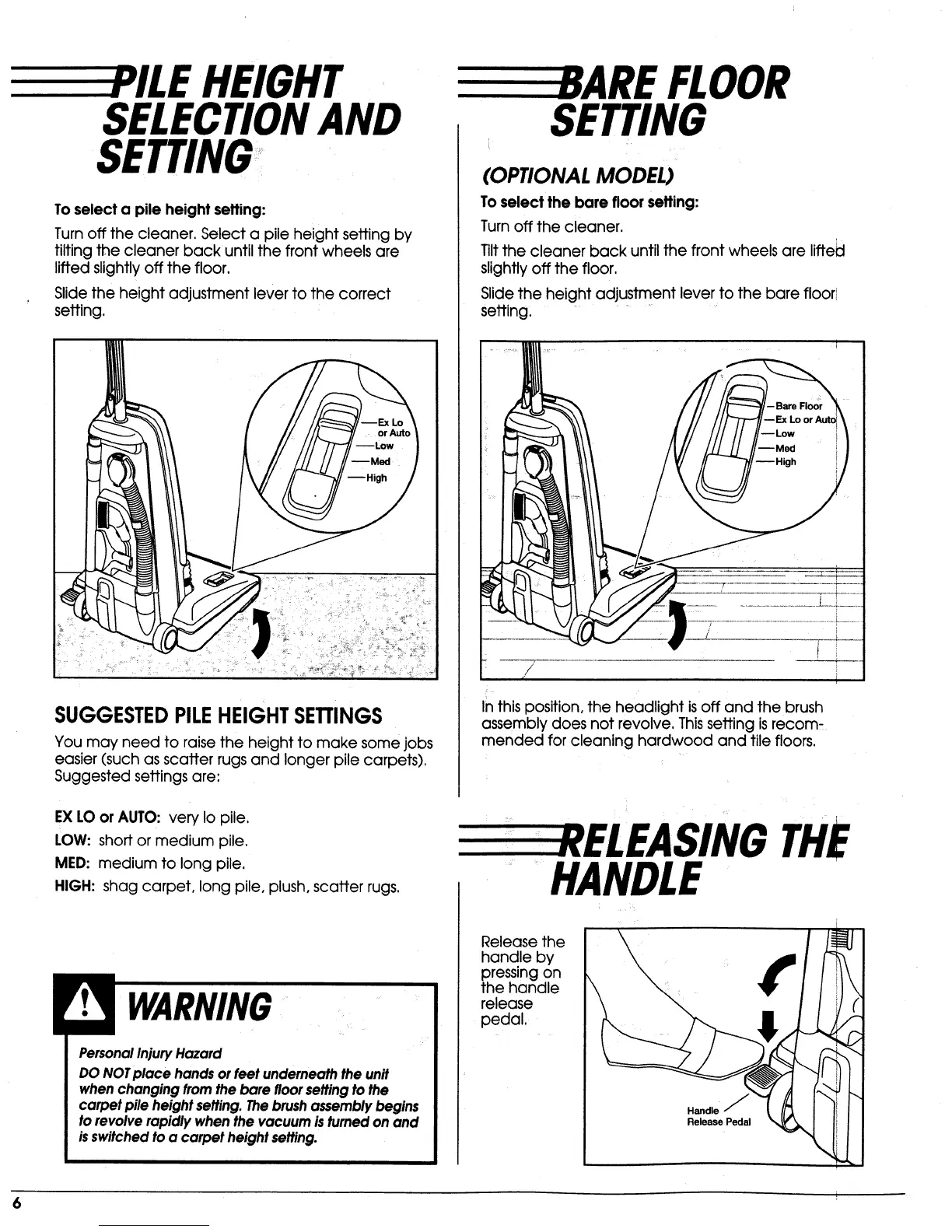
Toselect a pile height setting:
Turn off the cleaner. Select a pile height setting by
tilting the cleaner back until the front wheels are
lifted slightly off the floor.
Slide the height adjustment lever to the correct
setting.
--High
SUGGESTEDPILEHEIGHT SETTINGS
You may need to raise the height to make some jobs
easier (such as scatter rugs and longer pile carpets).
Suggested settings are:
EX LO or AUTO: very Io pile.
LOW: short or medium pile.
MED: medium to long pile.
HIGH: shag carpet, long pile, plush, scatter rugs.
FLOOR
SETTING
(OPTIONAL MODEL)
To select the bare floor seffing:
Turn off the cleaner.
Tilt the cleaner back until the front wheels are lifteid
slightly off the floor.
Slide the height adjustment lever to the bare floor
setting.
Inthis position, the headlight is off and the brush
assembly does not revolve. Thissetting is recom-
mended for cleaning hardwood and tile floors.
LEASINGTHE
HANDLE
WARNING
PersonalInjuryHazard
DO NOTplace handsorfeet underneaththe unit
whenchanging fromthe bare floorsettingto the
carpet pileheight setting.Thebrushassemblybegins
torevolve rapidly when the vacuum isturnedon and
isswitchedto a carpet heightsetting.
Release the
handle by
pressing on
the handle
release
pedal.
\
\
\
Handle j
Release Pedal



 To Next Page
 Loading...