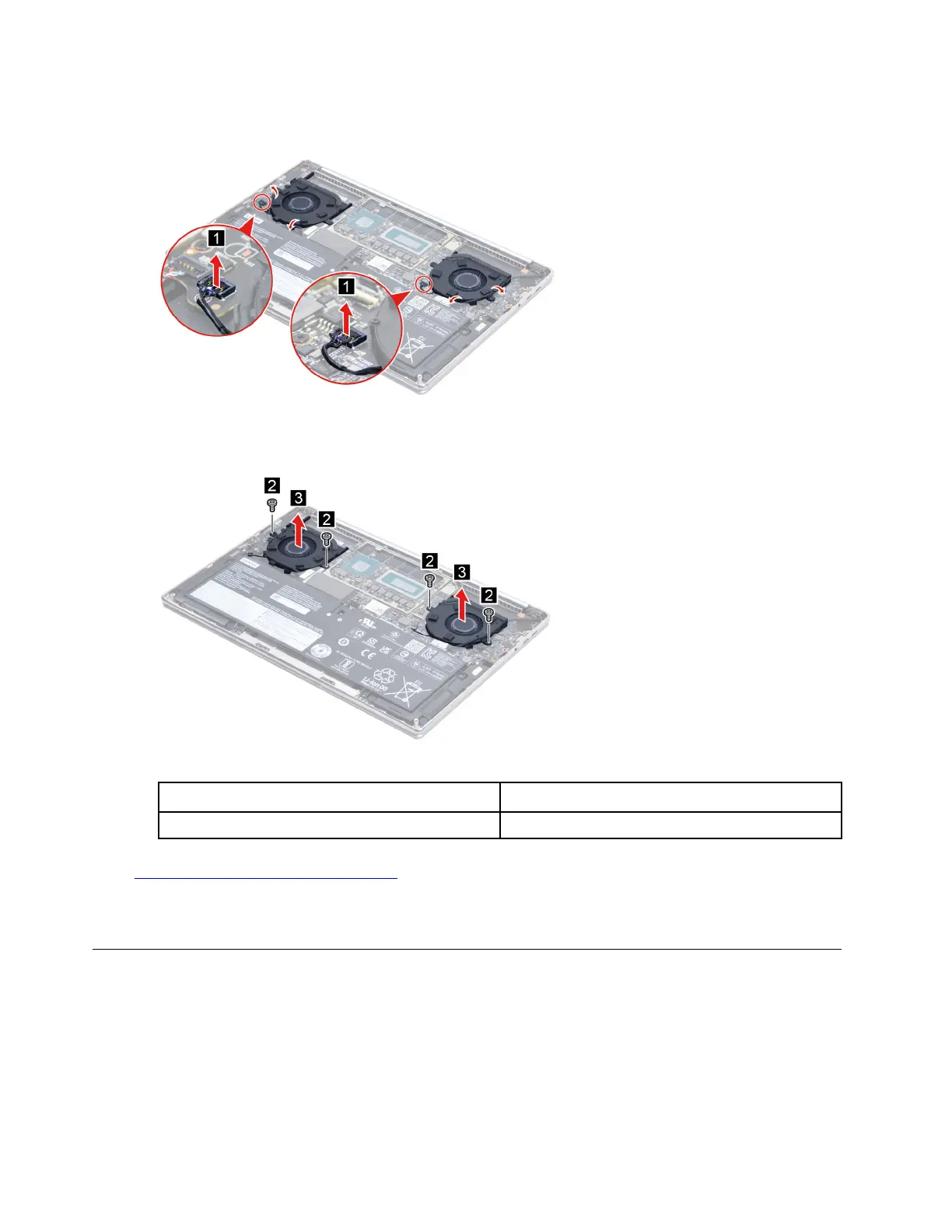
Step 1. Disconnect the fan cables from the system board and I/O board. Release the fan cables from the
cable guide.
Figure 12. Disconnect the fan cables from the system board and I/O board
Step 2. Remove four screws then remove the fans.
Figure 13. Remove the heat sink
Screw specifications Number of screws
4
Go to
https://support.lenovo.com/partslookup to look up the Lenovo part number of the following replacement
part:
Fans
Remove the speakers
Make sure the following FRUs (CRUs) have been removed.
“Remove the rubber foot” on page 28
“Remove the lower case” on page 29
“Remove the battery pack” on page 30
34
Hardware Maintenance Manual


 To Next Page
 Loading...