Lenovo G770 Hardware Maintenance Manual
36
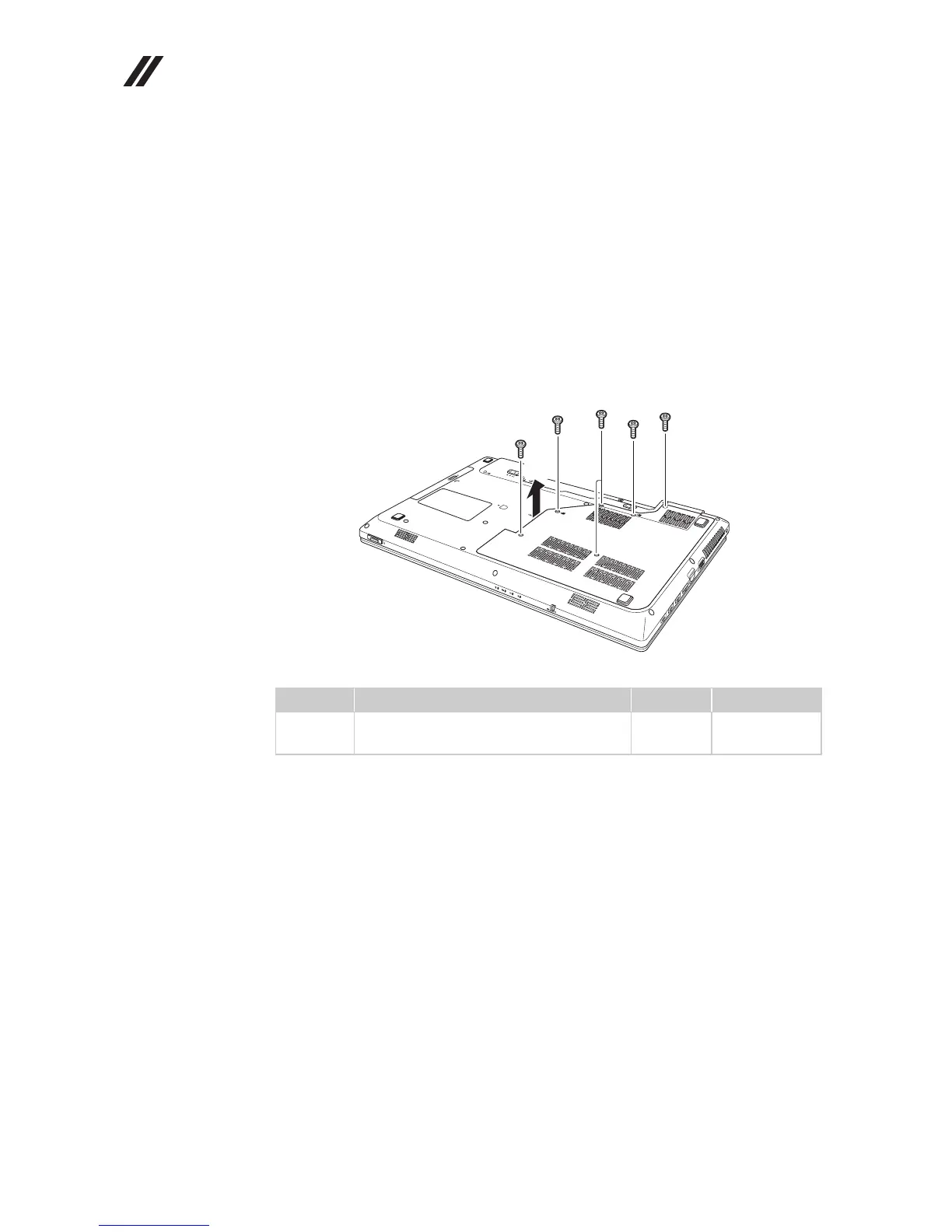
1030 Hard disk drive(HDD)/Memory/Mini PCI Express Card
slot compartment cover
For access, remove this FRU:
• “1010 Battery pack” on page 34
Figure 3. Removal steps of HDD/Memory/Mini PCI Express Card slot compartment
cover
Loosen four screws and remove two screws , then remove the
compartment cover .
Step Screw (quantity) Color Torque
M2.5 × 8 mm, flat-head, nylokcoated
(2)
Black 2.0 kgfcm
a b


 To Next Page
 Loading...