36
ENGLISH
CONNECTING DEVICES
You can connect various external devices to the projector.
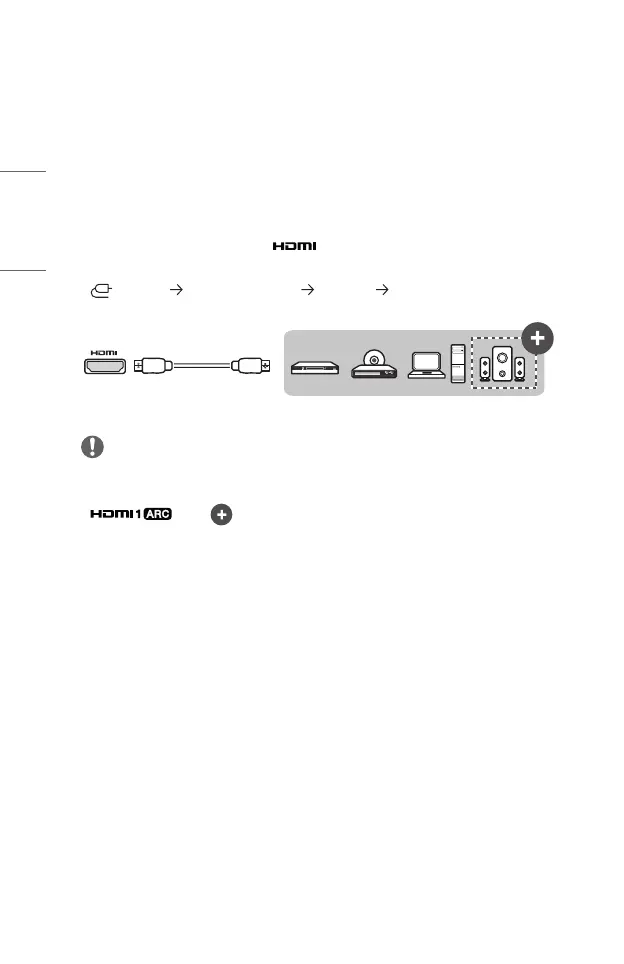
Connecting with a HDMI Cable
Various functions are available after connecting a digital broadcasting receiver,
DVD, PC, laptop, etc. with an HDMI cable.
With an HDMI cable, you can enjoy high quality picture and sound.
Using a HDMI cable, connect the port of the projector to the HDMI output
port of the device to connect. Both video and audio are output at the same time.
• (INPUT) [Home Dashboard] [INPUTS] [HDMI1]/[HDMI2]
Optional Extras
NOTE
ARC(AudioReturnChannel)
• External audio devices that support SIMPLINK and ARC must be connected using
port. ( )
• When connected with a high-speed HDMI
®
cable, external audio devices that
support ARC output or SPDIF work with the SIMPLINK function without the
need for an additional optical audio cable.
When connecting PC/laptop
• The projector supports Plug and Play. Your PC will automatically detect the
projector and requires no driver installation.


 To Next Page
 Loading...