23
ENGLISH
CONNECT OTHER DEVICES
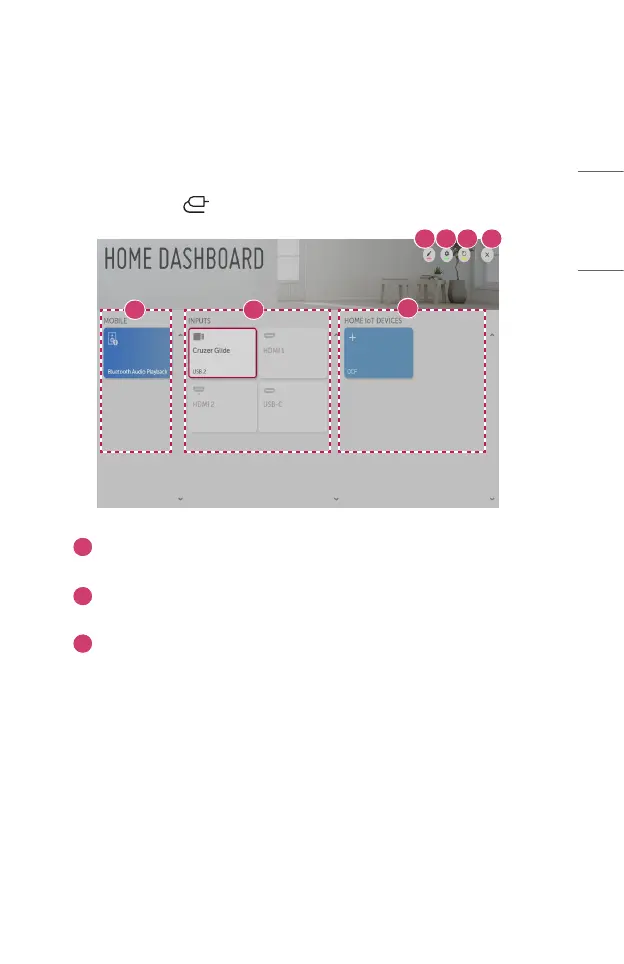
Using [Home Dashboard]
You can select or control a device (mobile, external device, Home IoT Devices, etc.)
connected to the projector.
• Press and hold the button on your remote control.
1 2
3
4 5 6 7
1
You can check and select the connected smart device with the LG TV Plus.
You can play sound from a smart device connected via Bluetooth.
2
You can check and select the external device connected through the
external input port or network.
3
You can check and control the device connected via the Home IoT.


 To Next Page
 Loading...