Operating 49
Operating
4
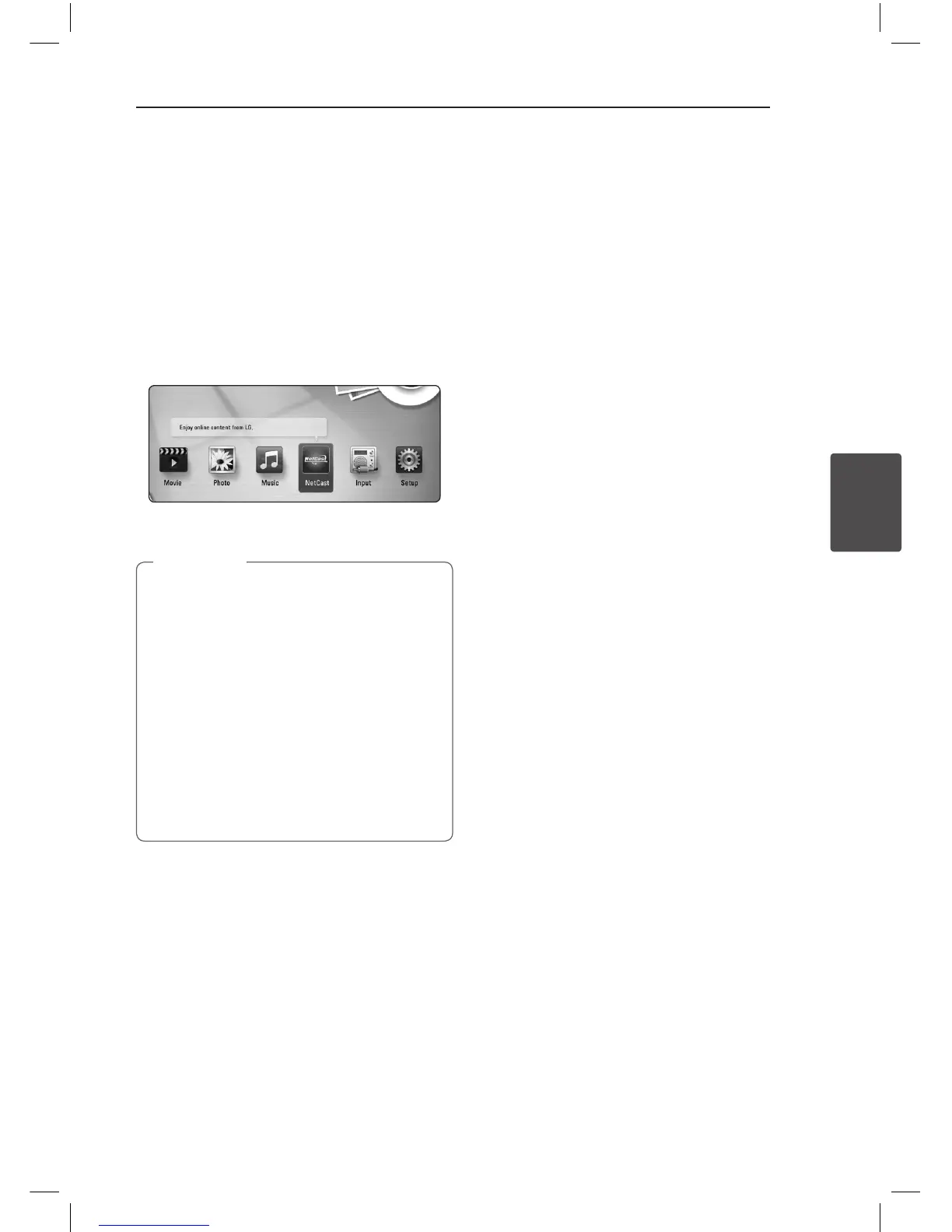
Enjoying the NetCast™
Entertainment Access
You can use various content services via Internet
with the NetCast Entertainment Access feature.
1. Check the network connection and settings
(page 23-27).
2. Press HOME (
n
).
3. Select the [NetCast] using
A/D
, and press
ENTER (
b
).
4. Select an on-line service using
W/S/A/D
,
and press ENTER (
b
).
y
Detailed information of each service,
contact to the content provider or visit
suppot link of the service.
y
The content of NetCast services and service
related information, including user interface,
is subject to changes. Please refer to the
web site of each service for most up-to-date
information.
y
Using NetCast features with wireless
network connection may result in improper
streaming speed by interference from
household devices that are using radio
frequencies.
,
Note
HB926_ENG.indd 49 11. 03. 04 �� 5:14


 To Next Page
 Loading...