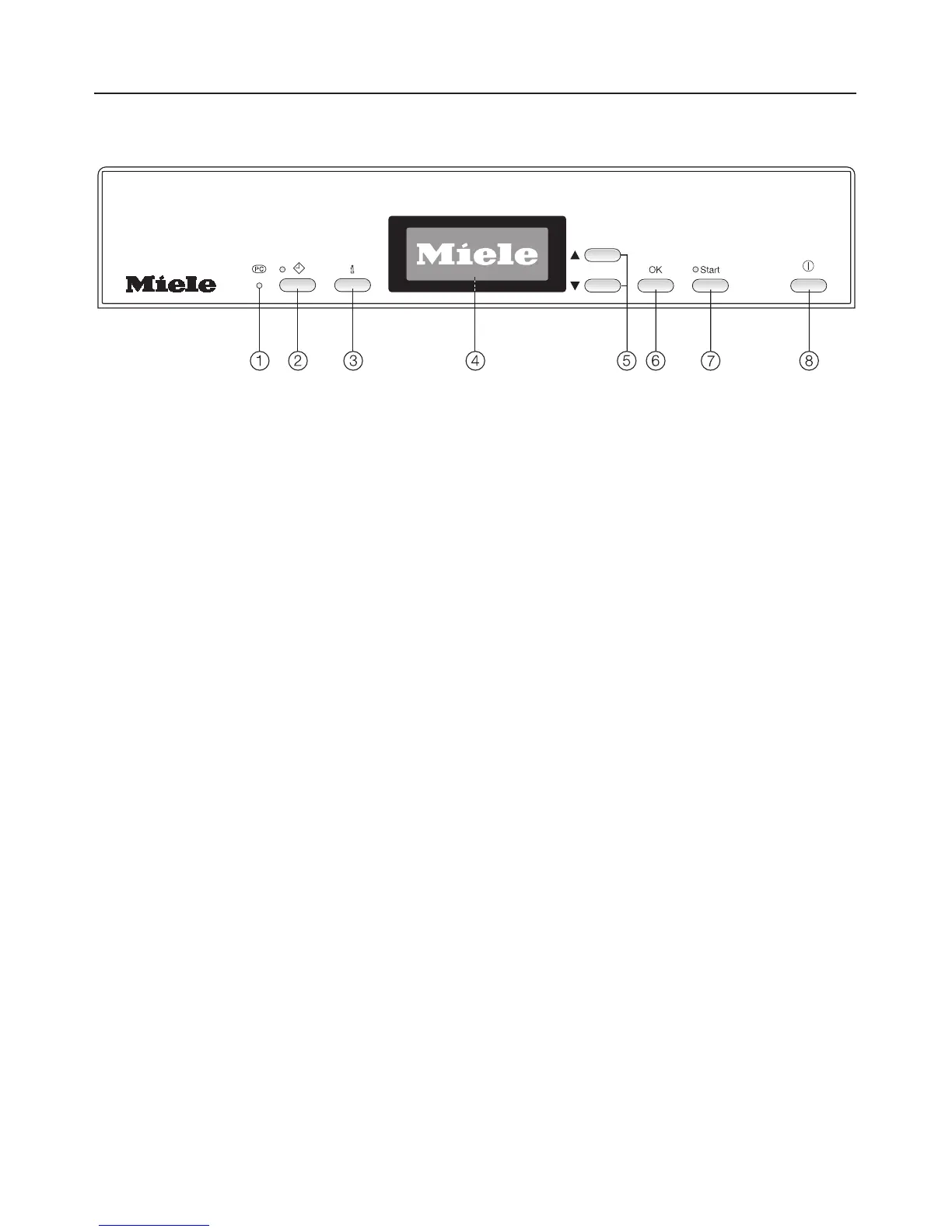
Control panel
a Technical Service interface
Allows a service technician to check
and update the machine when
applicable.
b d Delay Start button with indicator
c K button (Information)
To display more info about the
displayed menu
d Display
See the following pages for more
information
e Selection buttons -e
To highlight selections in the display,
to change displayed values and to
scroll between menus.
f OK button
To confirm the highlighted menu or
selected value.
g Start button with indicator
To start the selected wash program
h s On/Off button
To turn the dishwasher on and off.
Guide to the dishwasher
8


 To Next Page
 Loading...