Detergents
73
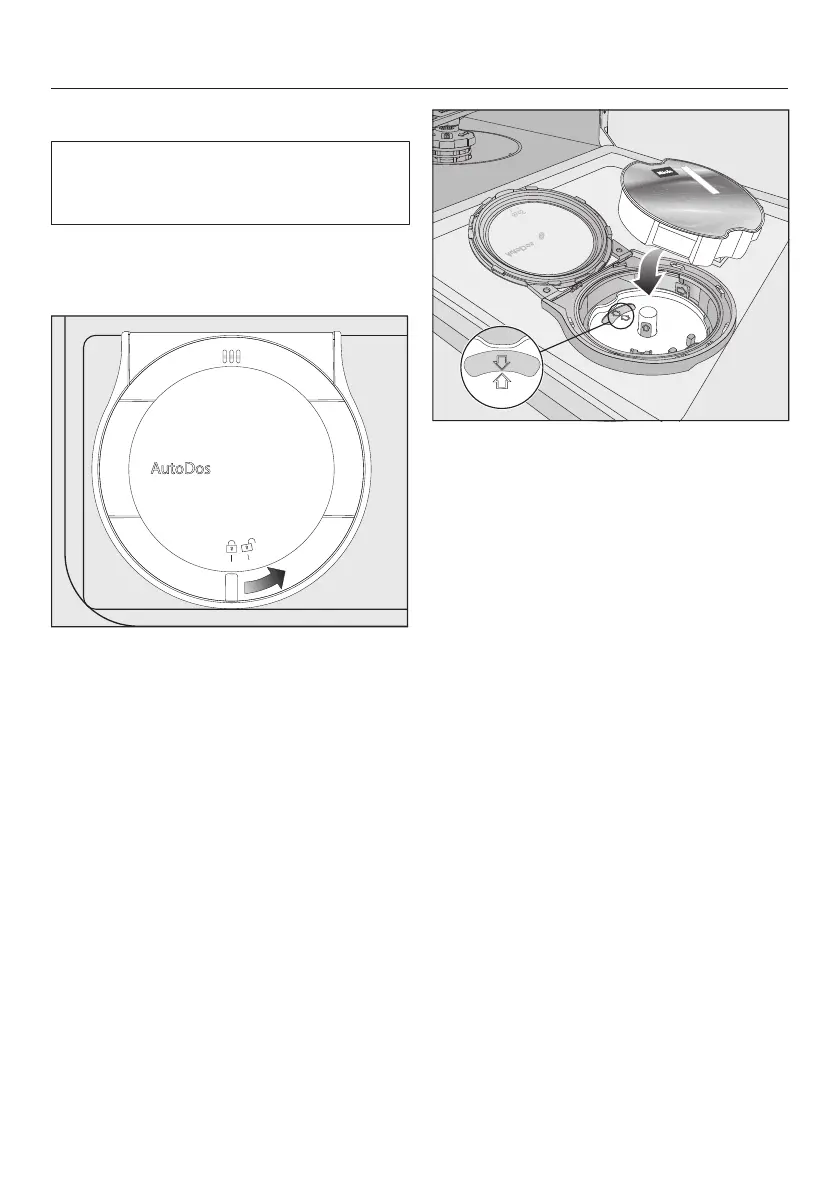
Inserting a PowerDisk
Switch on the dishwasher before you
replace the PowerDisk so that the
dishwasher recognises it.
Only replace the PowerDisk when the
messagePowerDisk empty. Deactivate
AutoDos with OK. appears.
Slide the yellow catch of the AutoDos
lid to and open it.
The message AutoDos lid open will
appear in the display.
Remove the empty PowerDisk.
If the arrows in the PowerDisk holder
and in the viewing window are not
pointing towards each other, remove
the PowerDisk holder (see “Cleaning
and care - Cleaning the AutoDos”).
Put the holder back into place so that
the arrows point towards each other
and the holder lies flat.
When doing this, only hold the
PowerDisk holder by the yellow tab in
the middle. Do not hold it by the side
tab.
Insert the new PowerDisk and press it
evenly downwards until it sits flush.


 To Next Page
 Loading...