36 Camera
Te m p e r a t u r e :
The display will always show the current room temperature.
Video Quality:
Press once to toggle between QVGA (low resolution, gray HQ color) and
VGA (high resolution, white HQ color).
• Press the Menu button of your device for Android™ and select Logout to
leave the account.
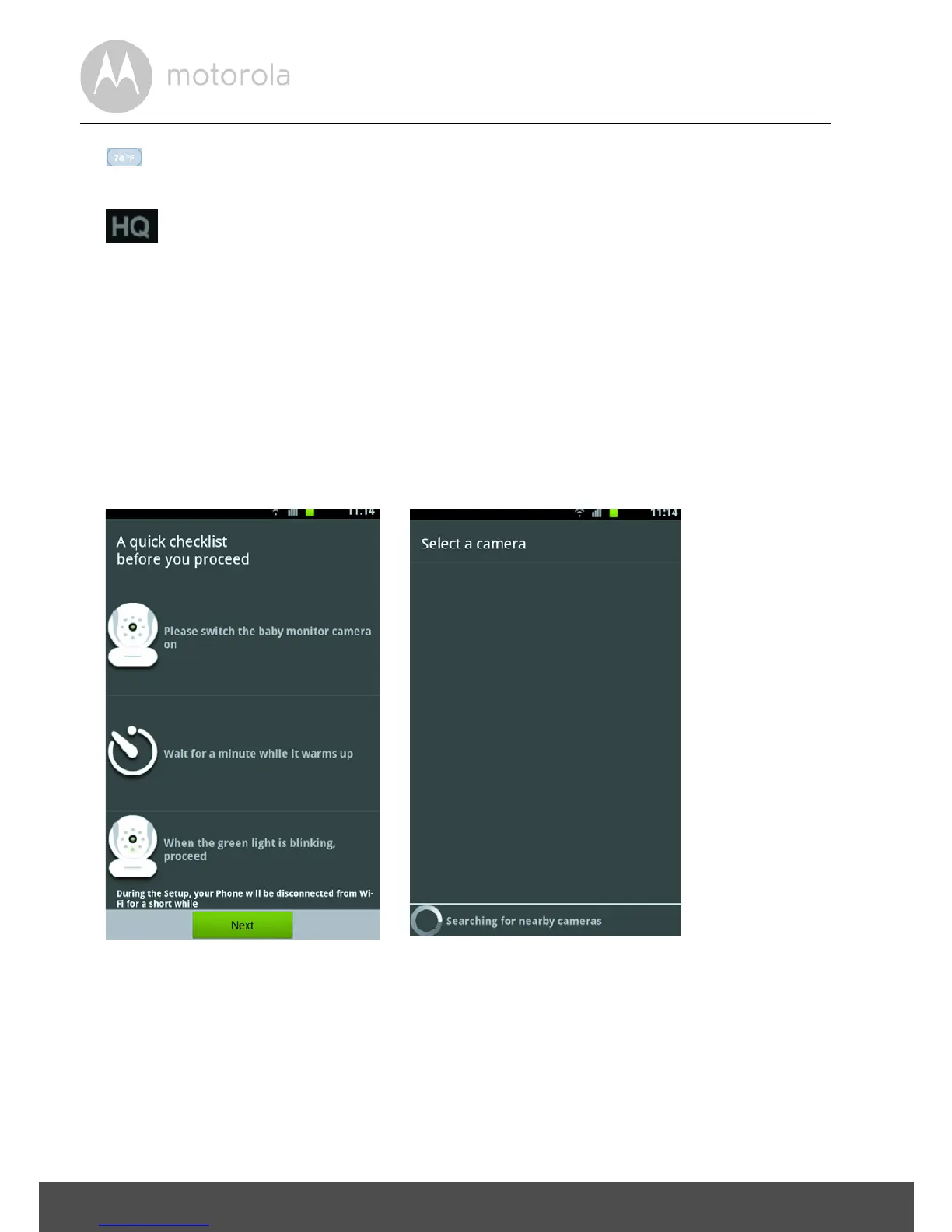
4.5 Adding another Camera:
Working with devices for Android™
• To add another Camera, please follow the screen number sequence:
• Tap Next. (picture A1)

 To Next Page
 Loading...