Changing a Custom Label
3URJUDP &KDQJH
AFP-300/AFP-400 Programming PN 50259:C1 06/19/97 15
&KDQJLQJD&XVWRP/DEHO
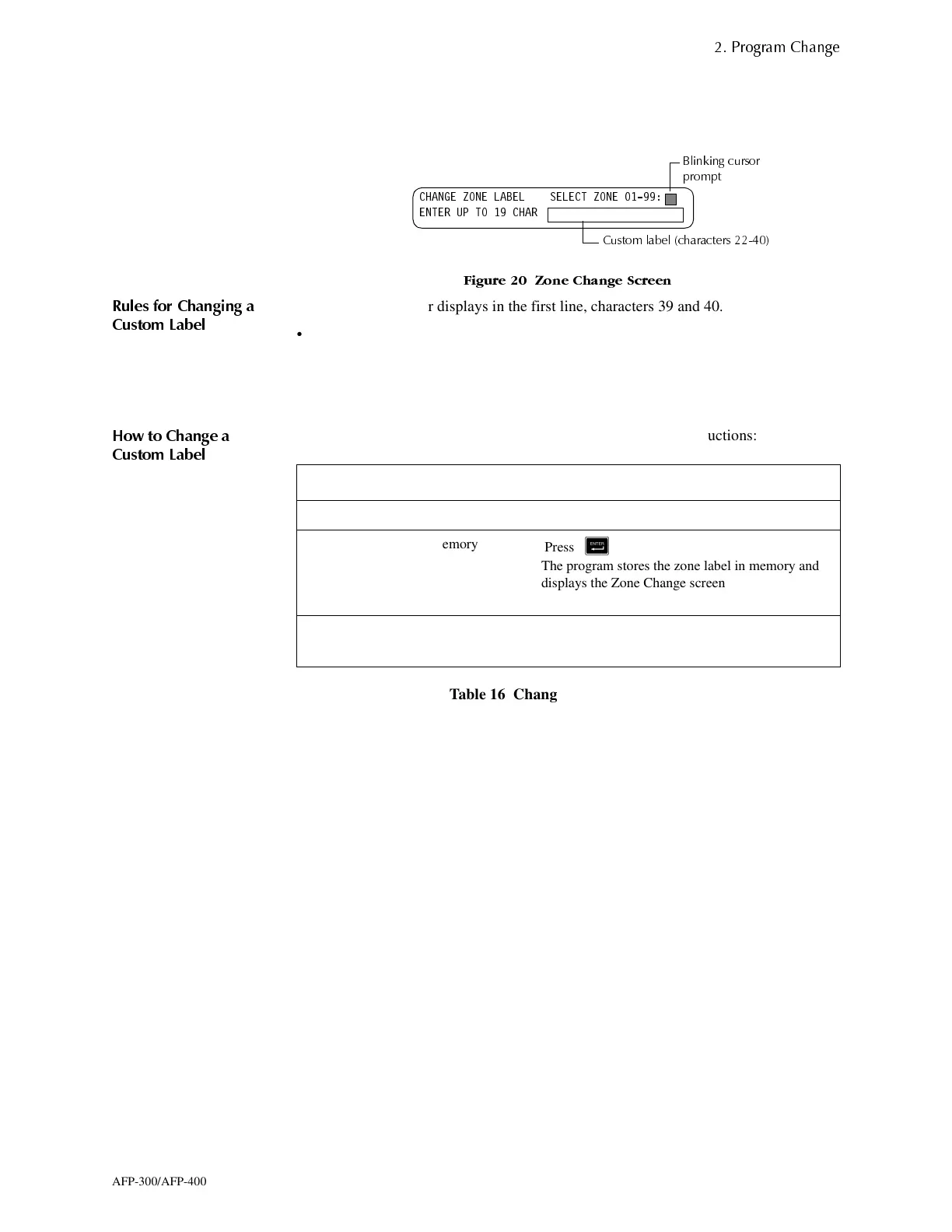
The Zone option lets you change the custom label assigned to zones 1-99. From the
Program Change screen, select <5> to display the Zone Change screen.
)LJXUH =RQH &KDQJH 6FUHHQ
5XOHV IRU &KDQJLQJ D
&XVWRP /DEHO
• The zone number displays in the first line, characters 39 and 40.
• For single digit numbers, enter a leading zero before the digit.
• Enter an alphanumeric zone label into line 2, characters 22–40.
• The program forces a blank for the first character which inserts a space between the
device and zone labels for a printout.
+RZ WR &KDQJH D
&XVWRP /DEHO
To change a custom label for a zone or a device, follow these instructions:
Table 16 Changing a Custom Label
&+$1*( =21( /$%(/ 6(/(&7 =21(
(17(5 83 72 &+$5
&XVWRP ODEHO FKDUDFWHUV
%OLQNLQJ FXUVRU
SURPSW
To Do this
Change a zone label Type a new zone label from the keypad.
Save the zone label in memory
Press &
The program stores the zone label in memory and
displays the Zone Change screen with all fields
blank.
Leave the Zone Change screen without
changing a zone label
Press
6
The display returns to the Program Mode screen.



 To Next Page
 Loading...









