20
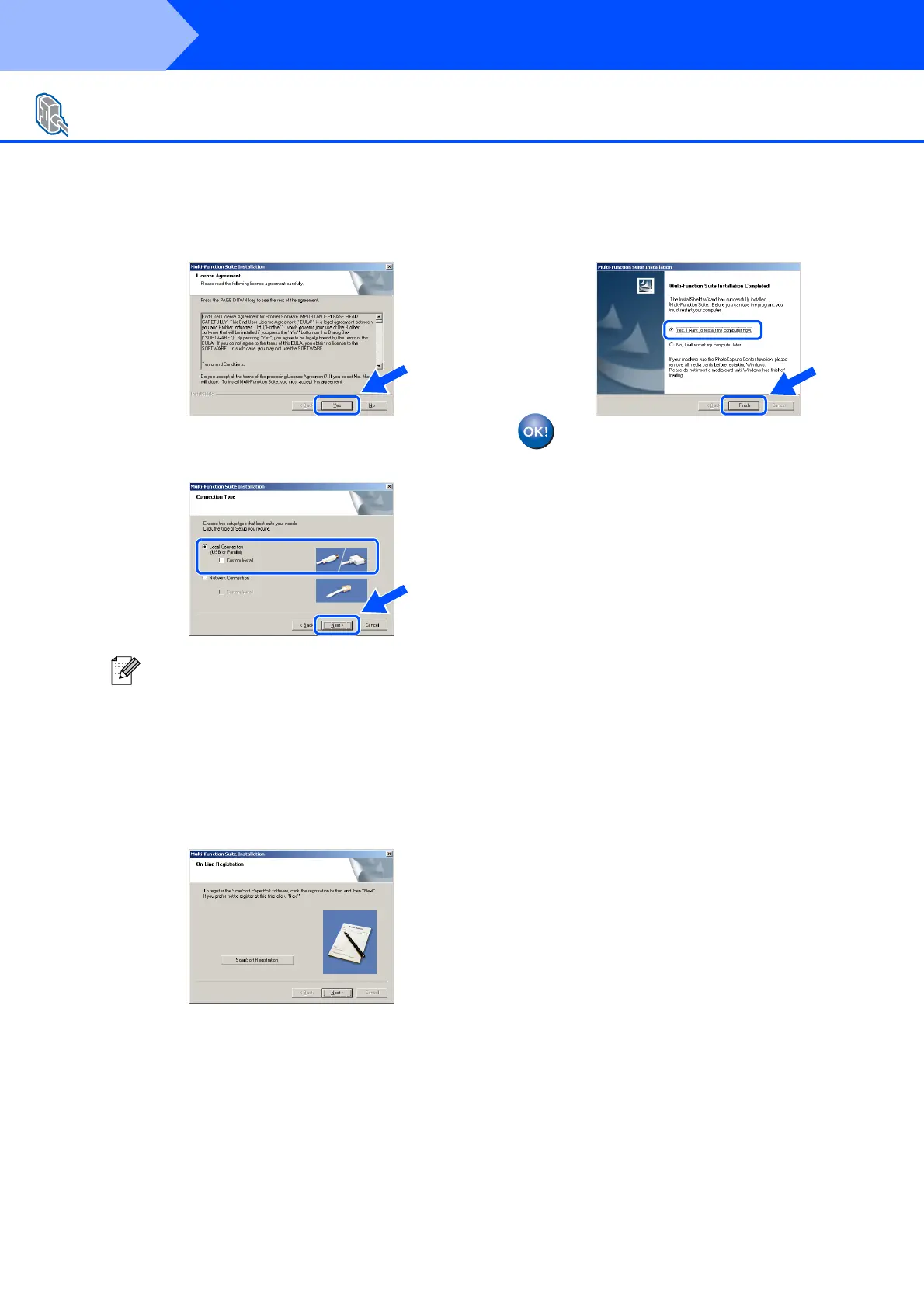
8 When the Multi-Function Suite Software
License Agreement window appears, click
Yes if you agree to the Software License
Agreement.
9 Choose Local Connection, and then click
Next. The installation will continue.
0 When the On-Line Registration screen is
displayed, make your selection and follow
the on-screen instructions.
A Click Finish and wait as the PC restarts
Windows
®
and continues the installation.
(You must be logged on with Administrator
rights.)
The Multi-Function Suite (including
printer driver and scanner driver) has
been installed and the installation is
now complete.
For Windows NT
®
Workstation Version 4.0 Users
If you want to install the PS driver, choose
Custom Install and then follow the on-screen
instructions. When the Select Components
screen appears, check PS Printer Driver, and
then continue following the on-screen
instructions.
Step 2
Installing the Drivers & Software


 To Next Page
 Loading...










