C5550 MFP User’s Guide
A guide to printing > 188
B
LACK
PRINTING
(
BLACK
GENERATION
)
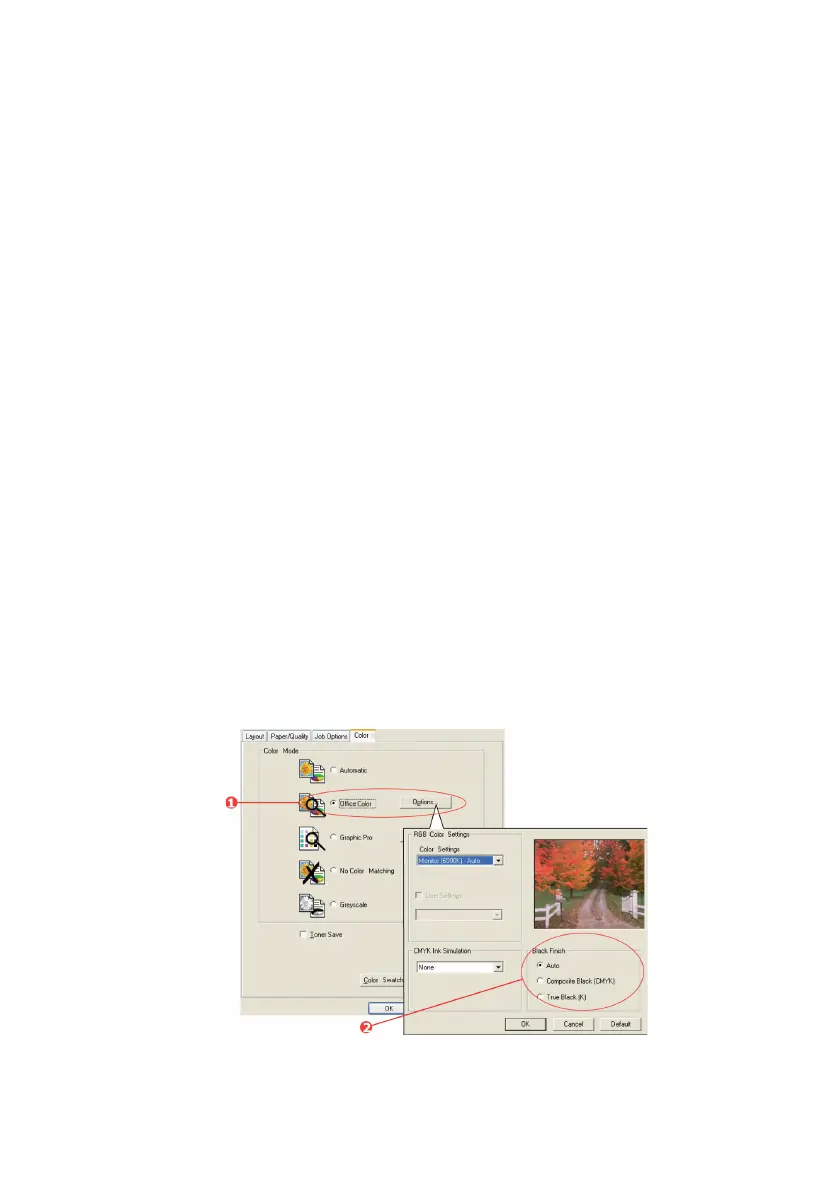
To use Black Generation, Office Color or Graphic Pro must be the
selected Print Mode.
Your MFP prints the color black in one of two ways: Composite
Black or True Black.
C
OMPOSITE
BLACK
The cyan, magenta, yellow, and black toners are combined to
create composite black.
This will sometimes give a glossier finish, due to the increased
amount of toner. It can also sometimes appear as a slightly
brownish black.
Use composite black when printing photographs.
T
RUE
(
PURE
)
BLACK
Only black toner is used to print true black.
Use True Black when printing a combination of text and graphics.
If you use True Black to print photographs, dark sections of the
photos may appear black.
Office Color
1. On the driver’s [Color] tab, select [Office Color] (1) and
click the [Options] button.
PS Black Generation_oda.jpg


 To Next Page
 Loading...