EasyManua.ls Logo

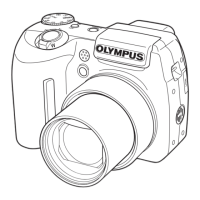
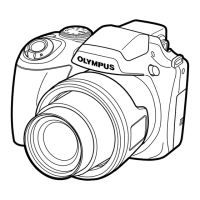
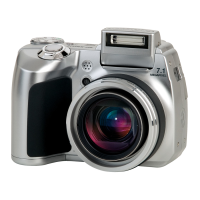
Olympus SP-550UZ - User Manual

Olympus SP-550UZ
100 pages
Print Icon
To Next Page IconTo Next Page
Loading...
Instruction
Manual
Menu operations
Button operations
Printing pictures
Using OLYMPUS Master
Getting to know your
camera better
Appendix
DIGITAL CAMERA
Quick Start Guide
This manual will help you
get started using your
camera right away.
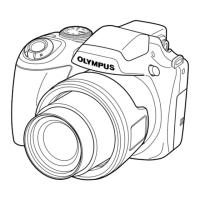
SP-550UZ
Thank you for purchasing an Olympus digital camera. Before you start to use your new camera, please
read these instructions carefully to enjoy optimum performance and a longer service life. Keep this manual
in a safe place for future reference.
We recommend that you take test shots to get accustomed to your camera before taking important photographs.
In the interest of continually improving products, Olympus reserves the right to update or modify information
contained in this manual.
The screen and camera illustrations shown in this manual were produced during the development
stages and may differ from the actual product.
d4321_e_unifild_Print_00_bookfile.book Page 1 Tuesday, December 19, 2006 11:20 AM

Table of Contents

Other manuals for Olympus SP-550UZ

Question and Answer IconNeed help?

Do you have a question about the Olympus SP-550UZ and is the answer not in the manual?

Summary

Quick Start Guide

Turn the camera on

Guide to powering on the digital camera and initial setup.

Take a picture

Steps for holding, focusing, and shooting a picture.

Using OLYMPUS Master

Install OLYMPUS Master Software

System requirements and steps for installing the software.

Download and Save Images

Transferring photos from the camera to the computer.

When you get an error message on the camera

Card and Storage Errors

Resolving issues like CARD ERROR, MEMORY FULL, CARD FULL.

Appendix

Battery Handling Precautions

Important safety guidelines for battery usage and handling.

SAFETY PRECAUTIONS

General Precautions

General safety instructions for product use, cleaning, and attachments.

Handling the Camera

Warnings and precautions for handling the camera safely.

SPECIFICATIONS

CAMERA DIAGRAM

Camera

Labeled diagram identifying all external camera parts and their functions.

Monitor Symbols & Icons

Shooting Mode Symbols

Explanations of icons displayed during shooting mode.

Summary

Quick Start Guide

Turn the camera on

Guide to powering on the digital camera and initial setup.

Take a picture

Steps for holding, focusing, and shooting a picture.

Using OLYMPUS Master

Install OLYMPUS Master Software

System requirements and steps for installing the software.

Download and Save Images

Transferring photos from the camera to the computer.

When you get an error message on the camera

Card and Storage Errors

Resolving issues like CARD ERROR, MEMORY FULL, CARD FULL.

Appendix

Battery Handling Precautions

Important safety guidelines for battery usage and handling.

SAFETY PRECAUTIONS

General Precautions

General safety instructions for product use, cleaning, and attachments.

Handling the Camera

Warnings and precautions for handling the camera safely.

SPECIFICATIONS

CAMERA DIAGRAM

Camera

Labeled diagram identifying all external camera parts and their functions.

Monitor Symbols & Icons

Shooting Mode Symbols

Explanations of icons displayed during shooting mode.

Olympus SP-550UZ Specifications

General IconGeneral
BrandOlympus
ModelSP-550UZ
CategoryDigital Camera
LanguageEnglish

Related product manuals