18 EN
Connecting to a computer
Before connecting a computer to the TV:
• Set the computer screen refresh rate to
60 Hz.
• Select a supported screen resolution on
the computer.
Connect to the computer using one of the
following connections:
Note
•
A separate audio cable is required when connecting
via DVI.
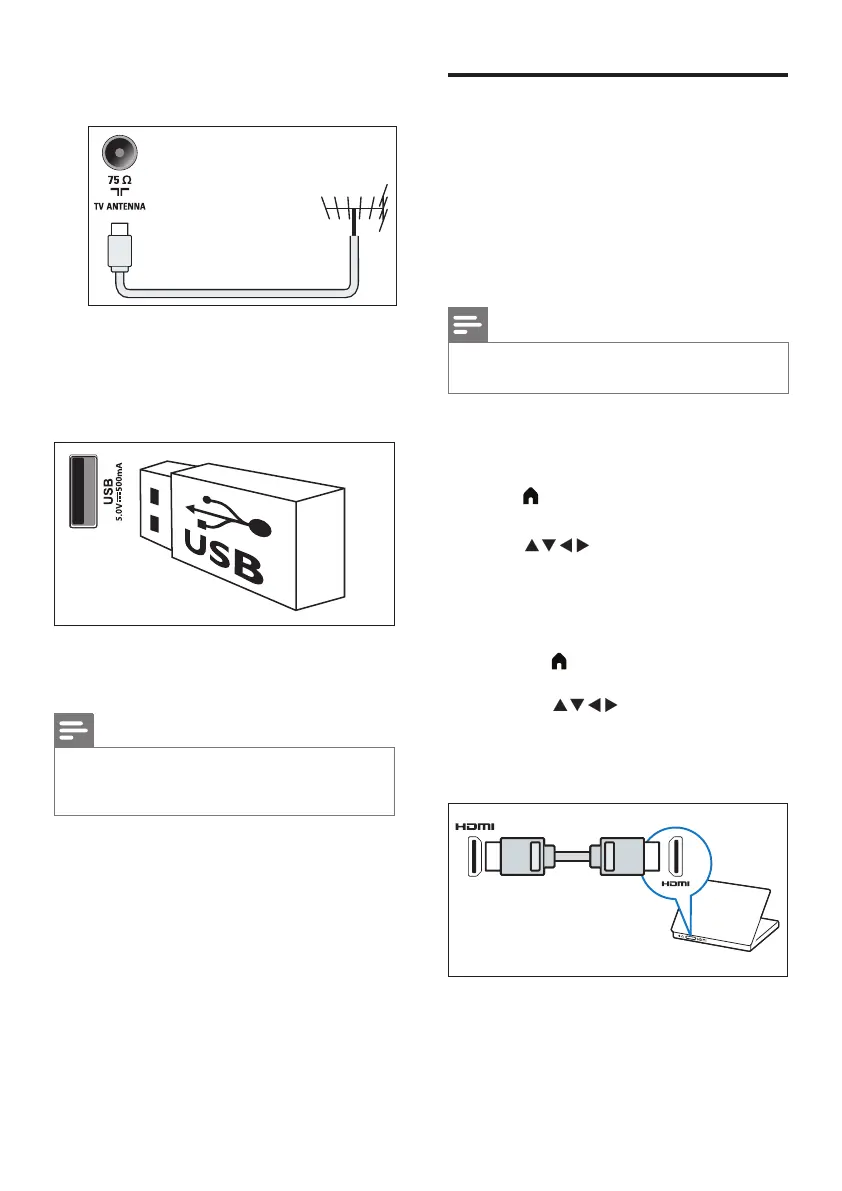
• HDMI cable
1 Set the resolution of the computer display
to 480p/576p/720p/1080p
2 Press (Home) and select [Setting] to
enter the [Setting] menu.
3 Press to select [Settings] >
[HDMI Mode], and set the HDMI display
mode to graphics or video.
4 Adjust the picture format to achieve the
best display results.
• Press (Home) and select [Setting]
to enter the [Setting] menu.
• Press to select [Settings] >
[Picture Format].
• Select a picture format.
• Press OK to conrm.
c Antenna/cable TV
Input for an antenna, cable or satellite signal
d USB
Data input from a USB storage device.
e Headphones
Stereo sound output for headphones.
Note
•
Headphones can only be used as a low-power audio
output. Do not connect high-power active devices
(such as high-power active speakers).


 To Next Page
 Loading...