68 Affichage
Vous pouvez changer les fonctions d’aspect du téléviseur, d’icône
d’angle et d’arrêt automatique du lecteur DVD à partir du menu
d’affichage.
1
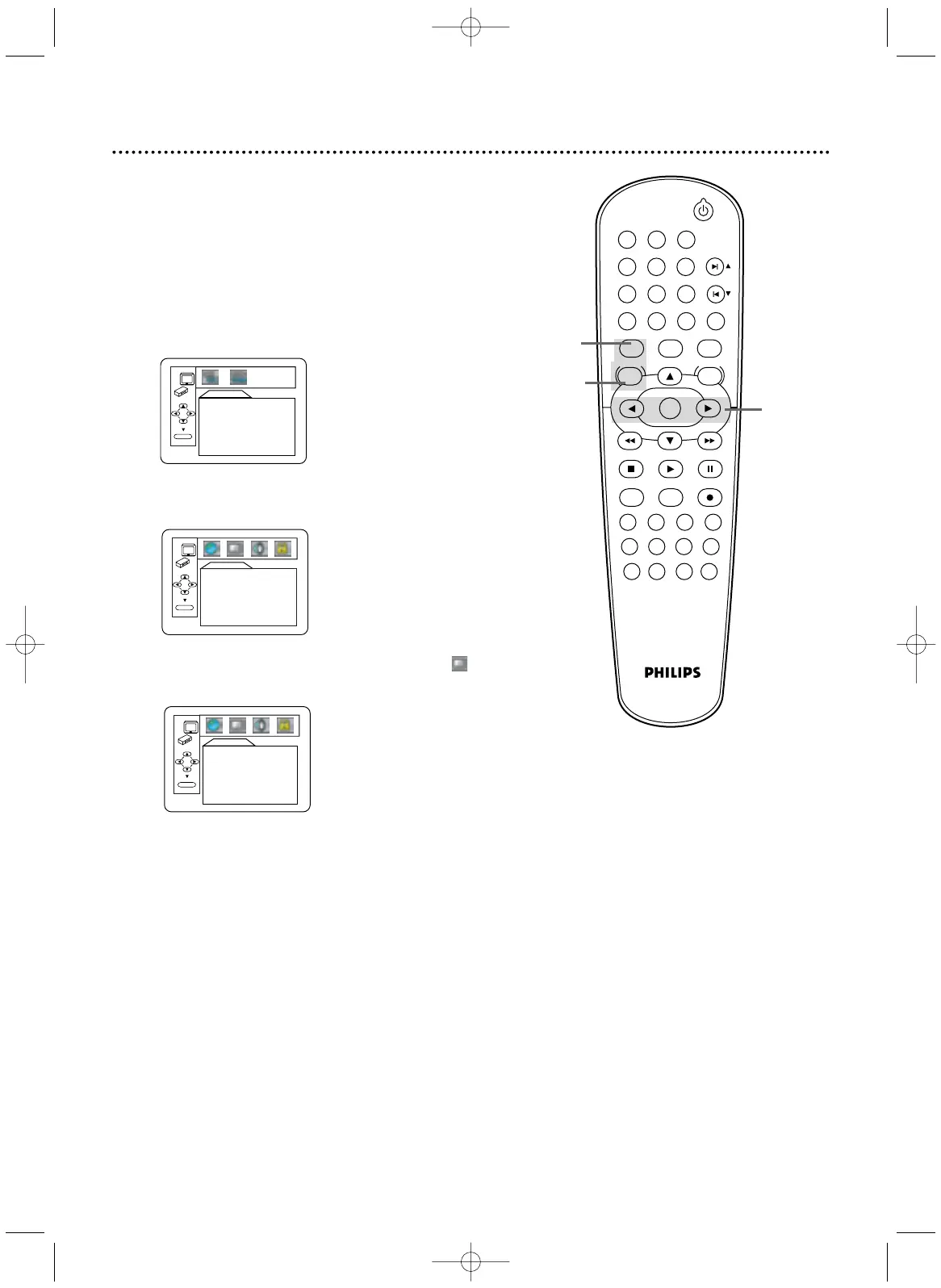
Appuyez sur DVD pour mettre le lecteur DVD/
magnétoscope en mode DVD.
2
Lorsque la lecture est interrompue, appuyez sur
SYSTEM/MENU. L’écran de configuration rapide est
affiché.
AFFICHAGE
ASPECT TV 4:3 BOÎTE AUX LETTRES
ICÔNE DE L'ANGLE EF
ARRÊT AUTO. EF
OK
4
Appuyez sur s ou B pour sélectionner
(affichage), puis appuyez sur OK.
CONF. RAP.
MENU DU LECTEUR
ENGLISH
ASPECT TV
4:3 BOÎTE AUX LETTRES
DOLBY DIGITAL EF
OK
3
Appuyez sur B pour sélectionner CUSTOM dans le
haut du menu, puis appuyez sur OK.
LANGUE
SON ORIGINAL
SOUS-TITRE HF
MENU DU DISQUE ENGLISH
MENU DU LECTEUR ENGLISH
OK
STANDBY-ON
PLAY
VCR/TV
VCRDVD
OK
MENU MENU
SYSTEM
RETURN TITLE
A-B
CLEAR/RESET SLOW
SUBTITLE ZOOM
ANGLE
REPEAT REPEAT
AUDIO
SEARCH MODE
DISPLAY
SKIP / CH
DISC/VCR
PAUSESTOP
VCR Plus+ RECORDTIMER SET
SPEED
1 2 3
7
6
5
4
8
9
0
+10
750(FR).p52-84 03.4.23 8:20 PM Page 68


 To Next Page
 Loading...