Note: After brewing, coffee drips from the lter basket for several seconds.
, The freshness indicator is shown on the display for 30 minutes after
brewing, to indicate that the coffee is fresh.
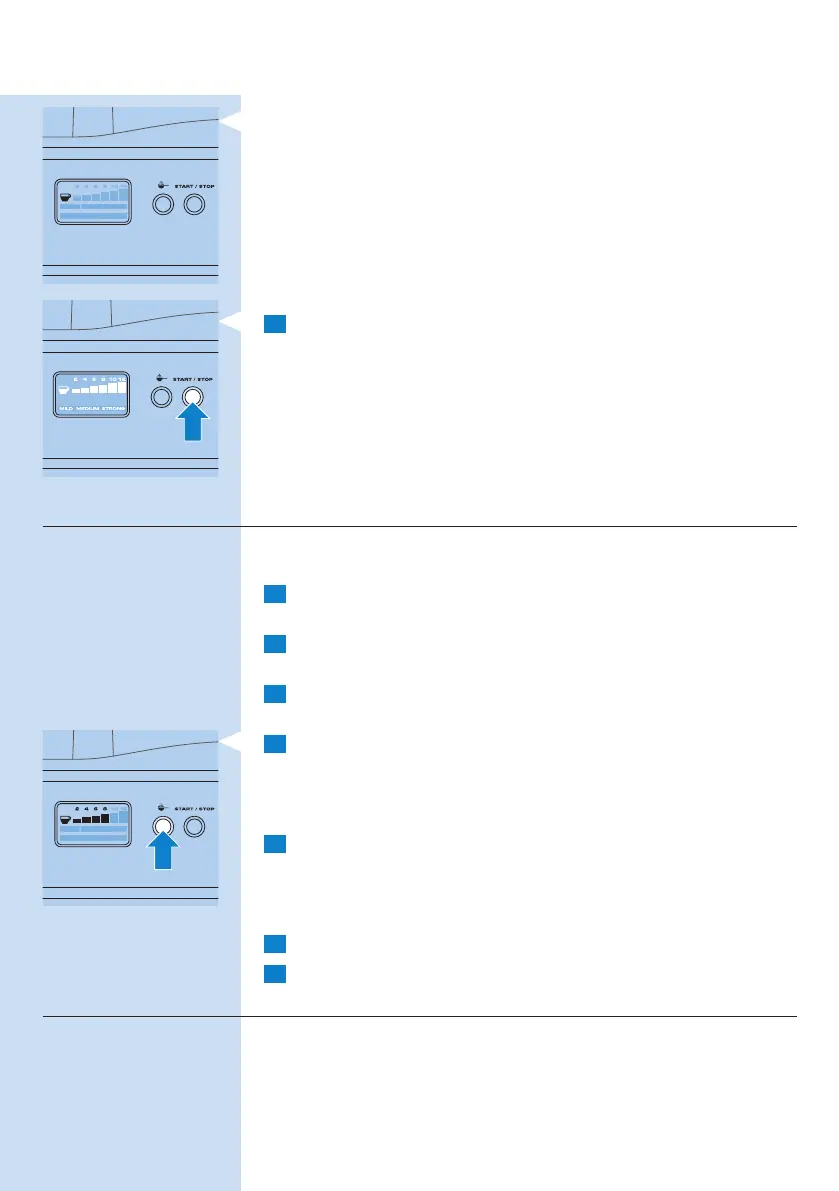
9 When the jug is empty, press the START/STOP button to switch off
the appliance and remove the jug from the hotplate.
Note: If you do not put the appliance in standby mode, it automatically goes to
standby mode after 45 minutes.
Using pre-ground coffee
If you want to use pre-ground coffee instead of coffee beans, follow the
steps below.
1 Fill the water reservoir with water, as described in ‘Filling the water
reservoir’.
2 Press the OPEN button on the right side of the appliance to
openthelterbasketholder.
3 Placeapaperlter(no.4)orthepermanentlterinthelterbasket
to collect the ground coffee.
4 Press the pre-ground coffee button to switch off the grinder.
, The button lights up when you press it.
Note: When you switch off the grinder, the number of cups and the strength
setting are not shown on the display.
5 Putpre-groundcoffeeinthepaperlterorinthepermanentlter.
Note: How much pre-ground coffee you use is a matter of personal taste. For
a medium-strong cup of coffee, use one measuring spoon (approximately 4-5g)
for each cup (125ml).
6 Closethelterbasketholderandplacethejugonthehotplate.
7 Follow steps 7, 8 and 9 in section ‘Using coffee beans’.
Drip stop function
The drip stop function enables you to remove the jug from the
coffeemaker before the brewing process is nished. When you remove
the jug, the drip stop stops the ow of coffee into the jug.
ENGLISH 11


 To Next Page
 Loading...