16
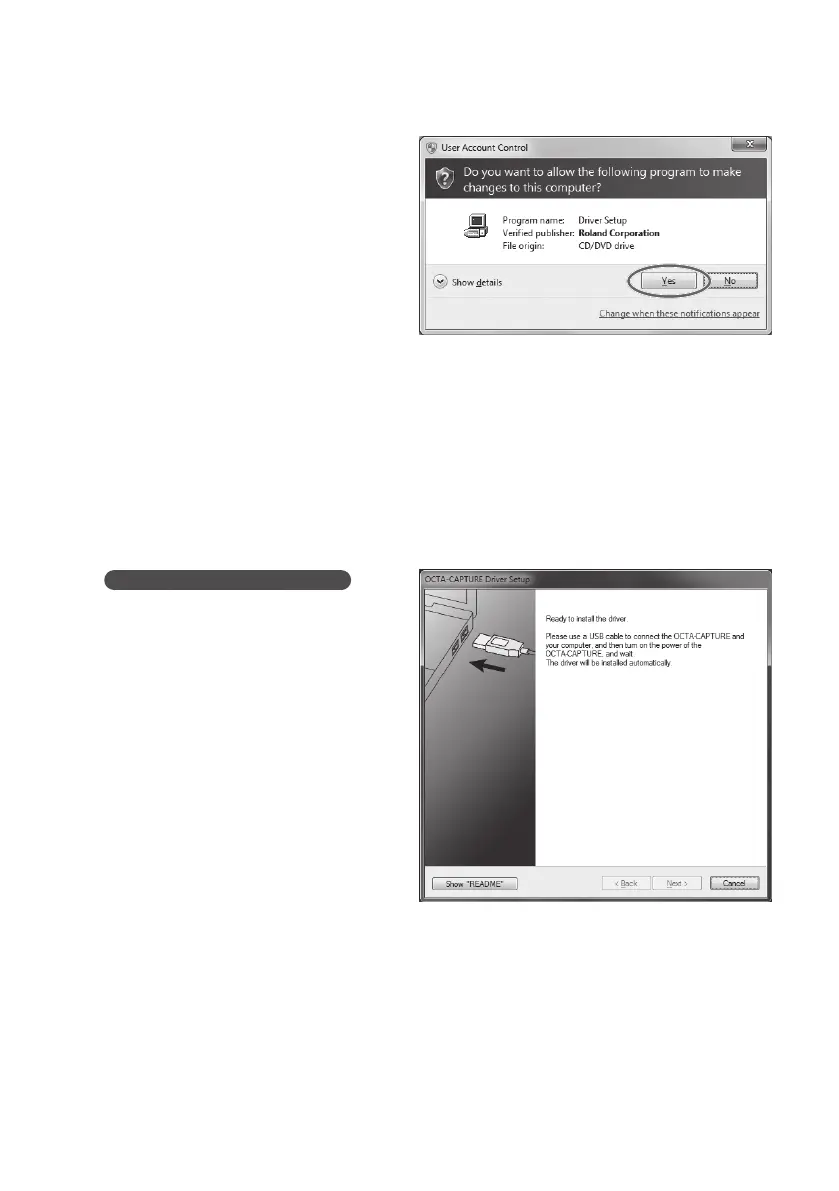
5. A user account control conrmation
screen will appear.
Click [Yes] if you’re using Windows 7, or click
[Continue] if you’re using Windows Vista
6. The screen will indicate “OCTA-CAPTURE Driver will be installed on your computer.”
Click [Next].
If any other message appears, proceed as directed by the message.
7. To begin the installation, click [Next] once again.
Installation will begin.
If a Windows security dialog box appears, click [Install].
8.
Operation of the OCTA-CAPTURE
The screen indicates “Ready to install
the driver.” With power to the OCTA-
CAPTURE switched o, use a USB
cable to connect it to your computer.
If any other message appears, proceed as
directed by the message.



 To Next Page
 Loading...