131
2
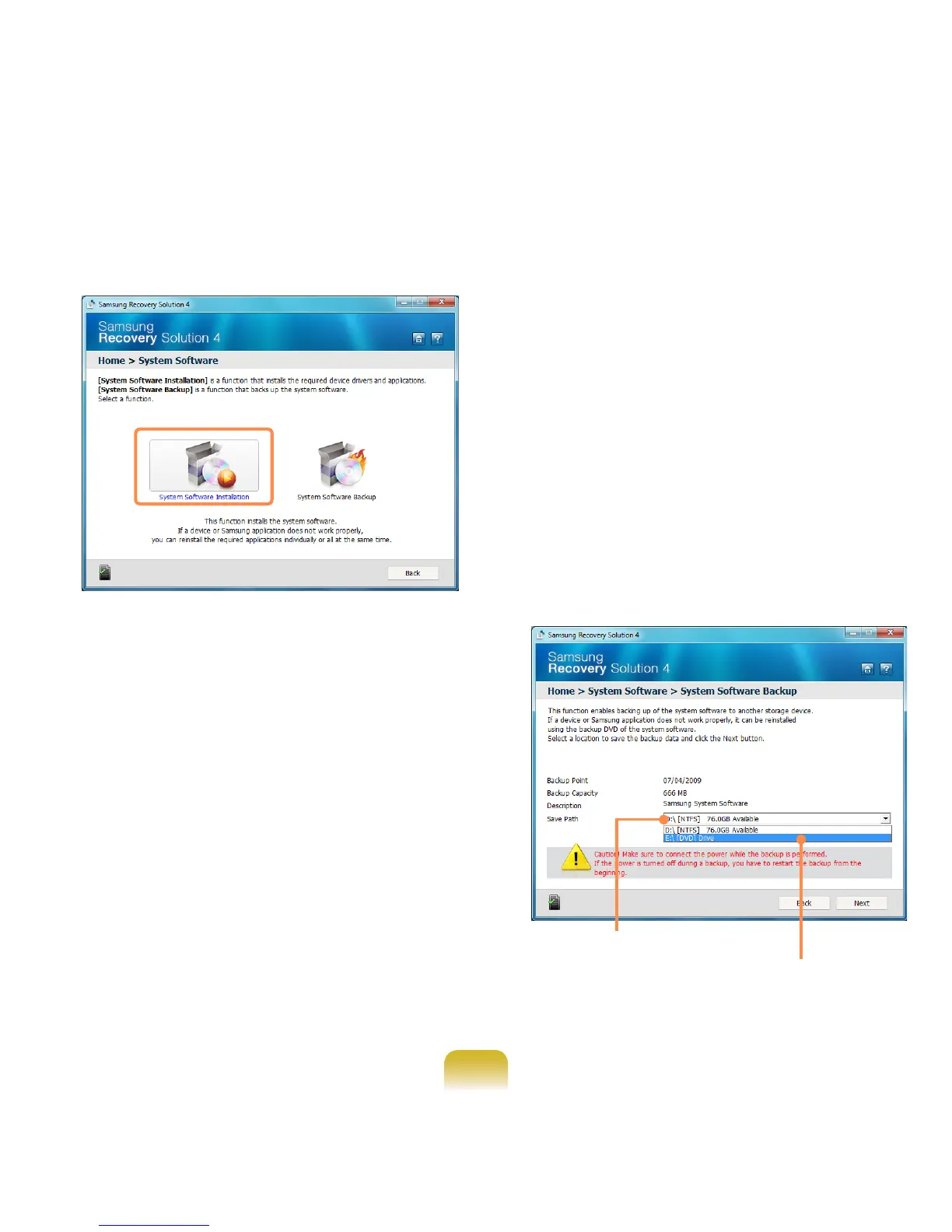
When the initial menu screen
appears, click System Software >
System Software Installation.
3
When the Samsung System
Software screen appears, check all
the device drivers and application
programs you want to install and then
click Install Now.
4
After the installation is complete, the
computer will restart.
System Software Backup
1
Click Start > All Programs >
Samsung > Samsung Recovery
Solution > Samsung Recovery
Solution.
2
When the initial menu screen
appears, click System Software >
System Software Backup.
3
Specify the Save Path. If your
computer has a DVD-Writer, you can
specify the DVD drive as the Save
Path.
Select Drive D.
Select the DVD drive.


 To Next Page
 Loading...